

Tappable
Your bio
Up to five links under your name. Put your LinkTwin links there, and the one you care about most first.

Instagram opens every link in its own browser, where your followers are signed out. A LinkTwin link bypasses it: taps land in the YouTube, Amazon or Spotify app, or in Safari or Chrome, with their logins and saved cards.
Trusted by 50,000+ creators and marketers
Share it on
 Instagram
 Threads
 Facebook
 Messenger
 WhatsApp
 TikTok
 X
X Snapchat
The Instagram Browser Problem
Instagram forces all links to open in its built-in browser instead of Chrome, Safari, or native apps. This means users aren't logged in, can't use their saved passwords, and often just leave. Here's how to fix it.
 Check out on your shop
 Subscribe to a channel
 Buy a product
Bio, Stories, DMs and ads
Instagram lets people tap a link in your bio, in Stories, in DMs and in ads, and every one of them opens the same in-app browser. Use your LinkTwin link in all of them. In captions and comments a link is just text, so send people to your bio or a Story instead.
Tappable
Up to five links under your name. Put your LinkTwin links there, and the one you care about most first.
Tappable
Every account can add a link sticker to a Story. Save the Story to a Highlight and the link keeps working on your profile.
Tappable
Links in DMs and group chats are tappable too, and open in the same in-app browser. Replying to "link please" comments in DMs? Send the LinkTwin link.
Tappable
Paid clicks land in the in-app browser too, signed out of your store. See how LinkTwin fixes in-app browser conversion loss on ads.
Not tappable
Instagram shows a link typed here as plain text. Write "link in bio" or add a Story with a link sticker, and keep your LinkTwin link there.
Make the link once and paste it wherever Instagram lets people tap. Every tap leaves the in-app browser.
Why Your Website Conversions Are Suffering
If you sell anything online, like products, courses, bookings or subscriptions, every link you share on Instagram opens your checkout in a browser that knows nothing about your customer. No saved card, no Apple Pay, no saved password.
Every friction point = lost sales. When customers can't autofill their card, can't use Apple Pay, and can't save items for later, they abandon their cart and never come back.
Links to your own website are on paid plans. Links to YouTube, Amazon, Spotify and other well-known sites work on the free plan.
In-App Browser

 External Browser
How to Open Instagram Links in External Browser
Whether you want links to open in Safari, Chrome, or the native app, LinkTwin handles it automatically.
iPhone
On an iPhone, LinkTwin hands the link back to Instagram with the instruction to open it outside. It opens in the visitor's default browser, which is Safari unless they chose another one.
Android
On Android, the link is handed to the phone's own browser, which is Chrome on most phones. Your audience stays logged in with all their preferences intact.


 Apps
Apps
The best option: make your Instagram links open directly in the native app. YouTube links open in YouTube, Amazon links open in Amazon, Spotify links open in Spotify.
On a computer there is no in-app browser to escape, so the same link simply opens the page in the browser.
Uses Official Deep Link Standards Deep linking is an official, platform-approved technology. Apple, Google, YouTube, Amazon, Spotify, and all major platforms actively support and encourage deep linking. They provide official documentation and APIs for developers to implement it. LinkTwin uses these same official deep link standards that the apps themselves use internally.
Any YouTube, Amazon, Spotify or website URL you want to share on Instagram.

In your bio, a Story link sticker, a DM or an ad.

And you see each click in your dashboard.

If you tapped a normal link and landed in Instagram's built-in browser, you can still move the page to Safari or Chrome yourself:
 Few followers know this menu exists. A LinkTwin link does it for them on every tap, so nobody has to look for it.
Built for Instagram Creators
Professional tools to make every link you share on Instagram more effective.
When someone taps your link on Instagram, LinkTwin works out the best place to open it: the app if they have it, otherwise Safari or Chrome. It works in your bio, Stories, DMs and ads.
Need links for other apps too? Try the deep link generator.
Track every click from Instagram. See device types, locations, and which posts drive the most traffic. Click analytics
Add Facebook, TikTok, and Google pixels to build custom audiences from your Instagram traffic. Learn about link retargeting.
Create memorable short links like linktw.in/my-store that look professional and trustworthy.
Generate QR codes that open in native apps. Perfect for printed materials and in-person events.
YouTube, Amazon, Spotify, TikTok, Twitter, WhatsApp, and dozens more. See all supported apps.
It works the other way too. Share your profile, a post or a Reel on WhatsApp, X or in an email with a LinkTwin link, and it opens in the Instagram app for people who have it, ready to follow.
Every post links to its original source, so you can read each recommendation in context.

Hey @Texas_Miler, you should try linktw.in for when you post YouTube links on IG stories, that way it'll open directly in the app and it's easier for people to like/comment since they're signed in. It's been super useful for me!

Quick life hack: Use linktw.in to create a link that when shared on Instagram on mobile opens the video in the YT app, not in a web browser. This allows people to interact with your video as opposed to just watching and clicking off.

Awesome tool for Instagram creators! IG story links don't open in dedicated apps, like YouTube. Use linktw.in to level-up your links, sending the audience straight to your content on their specific apps, rather than a login-prompt within the IG browser!

Use this when posting the YouTube link on your stories, it redirects you to the app and not to the mobile site where half the people aren't even logged in.

Astuce pour ceux qui partagent des liens YouTube en story Instagram : Au lieu de rediriger les gens vers une page web par defaut ou ils ne pourront pas liker ou s'abonner, generez d'abord le lien sur linktw.in

Try linktw.in: put your YouTube link in. It makes your YouTube link open DIRECTLY into the YouTube app instead of in video purgatory. @seancannell #SMMW23
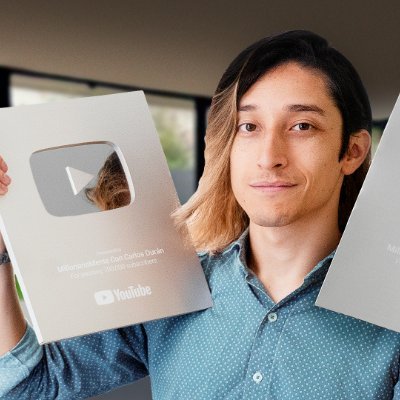
Para eso: NUNCA pongas tus Links. Si haces eso, tu video se vera en otro reproductor o una pagina dentro de otra App. Mejor usa la pagina linktw.in Ahi pondras el link de tu video y te generara un nuevo enlace que SI abrira tu video dentro de la App de YT.

Let's stop sharing links THE WRONG WAY because it's costing you views and engagement. Instead, copy the link to your video and paste it to this website called LinkTwin. From there, copy the link generated and share it across all your social channels.

Post your video links in the comments with linktw.in So it opens up in app (lil nugget for you)

If you send traffic between apps on mobile, the experience is terrible and often it opens in browser instead of the app on your phone. This tool solves that issue nicely.

My man! Try LinkTwin if you haven't already, sends people straight to the app. Not affiliated, just an awesome tool.

Hola! Te recomiendo uses esta web linktw.in para postear los links de Youtube y de esta manera al dar click abrira directamente en la app y no en el navegador o dentro de twitter. Aumentara tu engagement y eliminas friccion.

This is why I share my YouTube video either with linktwin, so it opens the YouTube App on their phone.

Tool Alert: You're sharing your YouTube links the wrong way on social! Use LinkTwin so your shared links open inside the YouTube app and increase your chances of getting more subscribers.

Want to grow on YouTube? Use this tool to make your video shareable: linktw.in

linktw.in usa tu link ahi para que se abra directamente en la app, asi se puedan suscribir mas facil.
Lil tip use linktw.in when sharing YouTube videos to social. Keeps people logged into their yt accounts. It boosts my YouTube engagement by a lot

これ使ってリンク作るとアプリに直で飛べるからチャンネル登録してくれる人増えるよ!別媒体に動員しやすくなる!!機会があったらやってみて!

Little handy tips for you. If others are like me, most are on mobile. Ur YouTube link open browser instead of YouTube app directly. Try this link.

CONTENT CREATOR HACK for YouTube videos! Hate posting link to YT on socials to no likes, subs, and possible shorter retention? Use linktw.in — Generate a link. It'll load up YT videos on YT app!
Everything you need to know about opening Instagram links in external browsers and native apps. Still have questions? Contact us
When you share a regular link on Instagram, it opens in Instagram's built-in browser. To make links open in Safari (iPhone), Chrome (Android), or native apps, use LinkTwin. Simply paste your destination URL, get a LinkTwin link, and share that instead. When followers tap your LinkTwin link, they'll automatically exit Instagram's browser and land in the proper app or their default browser.
Paste the link into LinkTwin and share the short link it gives you. When someone taps it in Instagram on an iPhone, LinkTwin opens the YouTube, Amazon, Spotify or other app if it is installed. If it is not, they get the normal web page. It works in your bio, in Story link stickers, in DMs and in ads.
Instagram uses an in-app browser to keep users within the Instagram app as long as possible. This is good for Instagram's engagement metrics but bad for creators and businesses who want users to actually convert. The in-app browser strips away login sessions, saved passwords, and app-specific features. LinkTwin bypasses this limitation by using deep linking technology.
Yes. Use your LinkTwin link in your bio, in a Story link sticker, in DMs and in Instagram ads. Instagram does not make links in captions or comments tappable, so for Reels and posts, put the link in your bio or a Story and tell people where to find it.
Yes. The free plan has 10 links and 500 clicks a month with no credit card, and works with well-known sites like YouTube, Amazon and Spotify. Paid plans add links to any website and more clicks. A/B testing comes on every plan, custom domains from the Medium plan and retargeting pixels on every plan. See pricing plans.
An Instagram link opener is a link that gets out of Instagram's in-app browser. LinkTwin is a free Instagram link opener: paste any URL and share the short link it gives you. Taps from Instagram open in Safari, Chrome or the right app, where people are already signed in.
Instagram opens every link in its own browser, even links to apps people have installed, like YouTube or Amazon. To open the app, share a LinkTwin link instead of the plain URL. When you test it, keep in mind that Instagram can remember a link you already tapped: close Instagram completely and tap it again.
An instagram.com link opens in any browser when the Instagram app is not installed, although Instagram may ask visitors to log in to see more. LinkTwin does not get around Instagram's login. What it does is open instagram.com links in the Instagram app for people who have it, and open every other link outside Instagram's browser.
Yes. Ad clicks on Instagram open in the same in-app browser. Use a LinkTwin link as the ad's website URL and the click leaves Instagram's browser before your landing page loads. Read how it works for Meta and TikTok ads.
The visitor goes to the normal web page instead. Your link always works, and nobody ends up at a dead end.
The same account opens links in more than 100 apps. See what it does for other creators.
For YouTubers
For Amazon affiliates
 For musicians and podcasters
Paste the link you were going to put in your bio. It takes a few seconds and it is free.
Free forever · No credit card · Works on iPhone & Android



 United States42%
 United Kingdom13%
 GoogleFiring





 amazon.de