 YouTube


 TikTok
 Apple Music
 WhatsApp
 Safari
Print Marketing
Add QR codes to flyers, posters, and brochures that take readers directly to your content in their favorite apps.
- Flyers
- Posters
- Brochures
- Magazines

 QR codes that open the app
Make QR codes that open the YouTube, Spotify, Amazon or Instagram app when someone scans them, not a mobile web page. Style them with your colors and logo, change where they point after printing, and count every scan.
Trusted by 50,000+ creators and marketers
Deep Link Powered
Traditional QR codes open links in mobile browsers, forcing users to log in again, navigate cluttered web views, and often abandon before converting. A QR code deep link opens the app instead, where people are already signed in.
 Follow an Instagram account
 Play a song on Spotify
 Buy on Amazon
YouTube videos open in YouTube, Spotify tracks in Spotify, Amazon products ready for 1-click purchase
If the app isn't installed, users seamlessly go to the web version. No broken links
YouTube, Spotify, Amazon, Instagram, TikTok and many more apps are detected automatically.
See where and when people scan and on which device. Add retargeting pixels to reach them again in your ads.
How It Works
A deep link QR code takes about a minute to make. Nothing changes for the people who scan it: they point the camera, tap, and the app opens.
Pick Link in the QR code generator and paste a YouTube, Spotify, Amazon or any other link. LinkTwin turns it into a deep link.
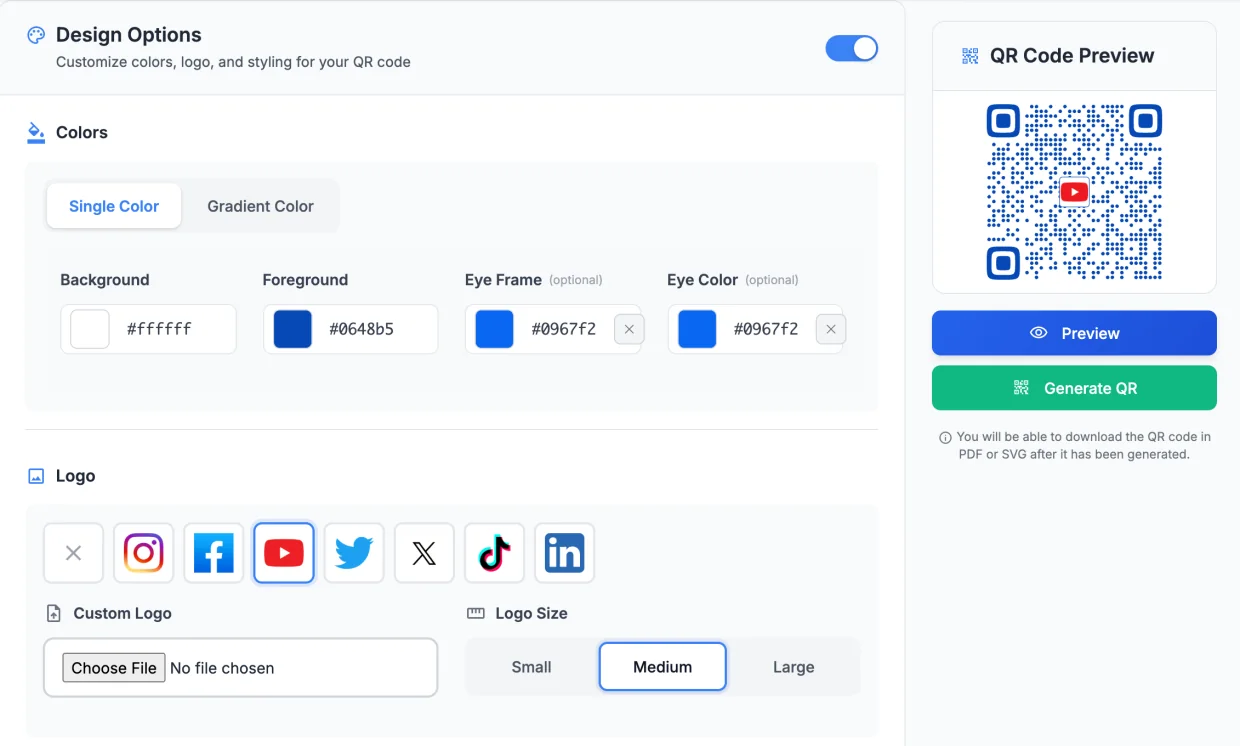
Choose colors, dots or squares, the corner shapes and a logo. The preview updates as you go.
Download SVG or PDF for print, or PNG for screens. Change the destination later and watch the scans come in.
Customization
Brand your QR codes to match your visual identity
For full brand consistency, put your QR codes on your own domain.
QR Code Types
Create QR codes that link to URLs, apps, contact info, and more
Smart links that open apps directly on mobile
Opens the YouTube appShare contact info instantly
Save contactPre-filled email templates
New message, subject filled inOne-tap calling QR codes
Call +1 555 0134Pre-written text messages
New text messageOpens a WhatsApp chat with your message typed in
Chat opens in WhatsAppA Bitcoin, Ethereum or Bitcoin Cash wallet address
Opens the wallet appEncode any text message
Shows your textConnect to WiFi with a scan
Join "Studio Guest"?Add events to calendars
Add to calendarA contact card stored in the code itself
Save contactA phone number and a message, ready to send
New text messageNeed a QR code for an app download? Use an App Store link: one code sends iPhones to the App Store and Android phones to Google Play.
Use Cases
Perfect for bridging physical and digital experiences
Add QR codes to flyers, posters, and brochures that take readers directly to your content in their favorite apps.
Include QR codes on packaging that open product tutorials, reviews, or support directly in the relevant app.
Modern business cards with QR codes linking to your LinkedIn, portfolio, or contact card.
Event badges, banners, and signage with QR codes for schedules, speaker profiles, and social follows.
Shelf tags and displays with QR codes that open product pages in shopping apps for instant purchase.
Table tents and menus with QR codes for reviews, social follows, or loyalty program signups.
Features
Track, update, and optimize your QR codes in real-time
Every scan of a dynamic code is counted: total and unique scans, country and city, operating system, browser and the hours people scan.
Change where your QR code points without reprinting. Update destinations anytime from your dashboard. Create short URLs that are easy to update and track.
Every QR code is powered by LinkTwin deep links. Users go straight to app content, not mobile browsers.
Route scanners to different destinations based on their location. Perfect for regional campaigns.
Add password protection to restrict access. Great for exclusive content or internal use.
Let a campaign code stop on a date or after a number of scans, then send people to a page you choose.
Point one QR code at your app and each phone lands in its own store.
See App Store linksEvery post links to its original source, so you can read each recommendation in context.

If you send traffic between apps on mobile, the experience is terrible and often it opens in browser instead of the app on your phone. This tool solves that issue nicely.

My man! Try LinkTwin if you haven't already, sends people straight to the app. Not affiliated, just an awesome tool.

Awesome tool for Instagram creators! IG story links don't open in dedicated apps, like YouTube. Use linktw.in to level-up your links, sending the audience straight to your content on their specific apps, rather than a login-prompt within the IG browser!

Hey @Texas_Miler, you should try linktw.in for when you post YouTube links on IG stories, that way it'll open directly in the app and it's easier for people to like/comment since they're signed in. It's been super useful for me!

Try linktw.in: put your YouTube link in. It makes your YouTube link open DIRECTLY into the YouTube app instead of in video purgatory. @seancannell #SMMW23
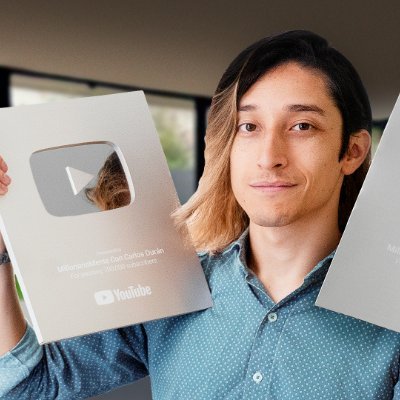
Para eso: NUNCA pongas tus Links. Si haces eso, tu video se vera en otro reproductor o una pagina dentro de otra App. Mejor usa la pagina linktw.in Ahi pondras el link de tu video y te generara un nuevo enlace que SI abrira tu video dentro de la App de YT.

Let's stop sharing links THE WRONG WAY because it's costing you views and engagement. Instead, copy the link to your video and paste it to this website called LinkTwin. From there, copy the link generated and share it across all your social channels.

Quick life hack: Use linktw.in to create a link that when shared on Instagram on mobile opens the video in the YT app, not in a web browser. This allows people to interact with your video as opposed to just watching and clicking off.

Post your video links in the comments with linktw.in So it opens up in app (lil nugget for you)

Hola! Te recomiendo uses esta web linktw.in para postear los links de Youtube y de esta manera al dar click abrira directamente en la app y no en el navegador o dentro de twitter. Aumentara tu engagement y eliminas friccion.

This is why I share my YouTube video either with linktwin, so it opens the YouTube App on their phone.

Tool Alert: You're sharing your YouTube links the wrong way on social! Use LinkTwin so your shared links open inside the YouTube app and increase your chances of getting more subscribers.

Want to grow on YouTube? Use this tool to make your video shareable: linktw.in

linktw.in usa tu link ahi para que se abra directamente en la app, asi se puedan suscribir mas facil.
Lil tip use linktw.in when sharing YouTube videos to social. Keeps people logged into their yt accounts. It boosts my YouTube engagement by a lot

Use this when posting the YouTube link on your stories, it redirects you to the app and not to the mobile site where half the people aren't even logged in.

Astuce pour ceux qui partagent des liens YouTube en story Instagram : Au lieu de rediriger les gens vers une page web par defaut ou ils ne pourront pas liker ou s'abonner, generez d'abord le lien sur linktw.in

これ使ってリンク作るとアプリに直で飛べるからチャンネル登録してくれる人増えるよ!別媒体に動員しやすくなる!!機会があったらやってみて!

Little handy tips for you. If others are like me, most are on mobile. Ur YouTube link open browser instead of YouTube app directly. Try this link.

CONTENT CREATOR HACK for YouTube videos! Hate posting link to YT on socials to no likes, subs, and possible shorter retention? Use linktw.in — Generate a link. It'll load up YT videos on YT app!
Everything you need to know about deep link QR codes. Contact support
A deep link QR code is a QR code that opens content inside an app instead of a web page. Scan a LinkTwin QR code for a YouTube channel and the YouTube app opens on the channel, where people are already signed in and can subscribe with one tap. If the app is not installed, the same code opens the web page.
Most QR code generators send every scan to a mobile browser. A LinkTwin QR code holds a deep link, so the scan opens the right app for YouTube, Spotify, Amazon, Instagram, TikTok and 100+ other apps, and website links open in the phone's real browser.
Create a dynamic Link QR code in LinkTwin and paste the app link you want, for example a YouTube video, a Spotify playlist or an Amazon product. Style it, download it as SVG or PDF for print, and put it on your poster, flyer or packaging. Every scan goes through your LinkTwin link and opens the app.
Yes. Choose a background and foreground color or a gradient, color the corner eyes, pick dot, rounded or square modules and the shape of the eyes, and add a logo: Instagram, Facebook, YouTube, X, TikTok or LinkedIn, or upload your own. You can also set the margin and the error correction level. All design options are included on every plan.
Yes, with a dynamic QR code. It holds a short link, so you can change the destination in your dashboard at any time and the printed code keeps working. Static codes (text, WiFi, event, static vCard) store their data in the code itself, so they cannot change after you print them.
Yes. Dynamic QR codes count every scan, with unique scans, country and city, operating system (iOS, Android and more), browser, language and the hour people scan. The history you see depends on your plan: 14 days on the free plan and more on paid plans.
LinkTwin does both in one place. The same dashboard creates deep links and dynamic QR codes, opens each scan or tap in the right app, and shows the clicks and scans for every link. See the click analytics.
LinkTwin QR codes include smart fallback. If the user doesn't have the app installed, they'll be seamlessly redirected to the web version of the content. Desktop users are also automatically directed to the appropriate web experience.
PNG, SVG and PDF. PNG downloads are up to 1000 pixels wide, which is plenty for screens and small prints. For posters and packaging use SVG or PDF: they are vector files, so they stay sharp at any size.
Yes. Make a QR code for an App Store link and each phone goes to its own store: iPhones to the App Store, Android phones to Google Play. It is a good fit for posters and packaging that should lead to an app download.
Yes. QR codes are included on every plan, with all the design options and scan counts. On the free plan, dynamic QR codes can point to the 100+ supported apps and to popular websites, and scans count toward the free plan's 500 clicks a month. Paid plans add any destination, longer scan history and more clicks, and your own domain comes from the Medium plan. See pricing.
Every QR code is a LinkTwin link, so it works with the rest of your links.

Short links

Deep links

Your own domain

App downloads
Stop losing users to browser friction. Generate deep link QR codes that take people straight to app content.
Free plan available · Full customization · Scan analytics
 Opens LinkedIn
 US
US