
 mayamakes


 Firefox
 Amazon
 YouTube
 Walmart
UTM & Pixel Preservation
All your tracking parameters survive the redirect. Meta Pixel, TikTok Pixel, Google Analytics, and custom UTMs all fire correctly. Your attribution stays intact.



 For Meta, Instagram and TikTok advertisers
When someone taps your ad on Facebook or Instagram, your landing page opens in the app's built-in browser: signed out, no saved card, often no Apple Pay. A LinkTwin link sends the click to Safari, Chrome or your app instead, and keeps your UTMs and pixels.
Start free, no credit card. Links to your own site need a paid plan, and ad pixels come on every plan.
Trusted by 50,000+ creators and marketers
Run it on
FacebookInstagram ThreadsTikTok
 X
X LinkedIn
 Pinterest
 Snapchat
The Hidden Conversion Killer
When someone clicks your ad on Facebook, Instagram, or TikTok, they land in a stripped-down in-app browser. No saved passwords. No autofill. No Apple Pay. No wonder they abandon your checkout.
 Buy with a saved card
 Get to your account
 Buy on Amazon
The ad funnel, step by step
Same ad, same click, two very different paths. You pay for the tap either way; what happens next decides whether it turns into an order.
Normal ad link
LinkTwin link
No made-up percentages here: every stage is a real screen your visitor goes through. TikTok and X do not let links out on their own, see the platform table below.

UTM & Pixel Preservation
UTM tags already in your landing page URL stay exactly as they are. Whatever the ad platform adds to the click, like the URL parameters you set in Ads Manager, fbclid or ttclid, is passed on to your page too. Forward everything, only tracking parameters, or nothing, for your whole account or one link at a time.
Building audiences from your links? Learn more about link retargeting.
Works with Meta Ads Manager, TikTok Ads, and all social ad platforms
Each app treats links differently. Here is exactly what a visitor gets after tapping an ad with a LinkTwin link, app by app.
 Facebook and Messenger adsFeed, Stories, Reels and Messenger
iPhoneSafari (Messenger: Chrome if installed)
AndroidChrome
Automatic
Instagram adsFeed, Stories, Reels and Explore
iPhoneThe visitor's default browser
AndroidThe phone's browser
Automatic
Threads adsFeed
iPhoneThe visitor's default browser
AndroidThe phone's browser
Automatic
TikTok ads and Spark AdsIn-feed and Spark Ads
iPhoneA full-screen guide to TikTok's Open in browser
AndroidA full-screen guide to TikTok's Open in browser
Two taps
X adsPromoted posts
iPhoneA button to Safari or Chrome
AndroidStays inside X
One tap on iPhone
LinkedIn, Pinterest and Snapchat adsSponsored posts and pins
iPhoneLinkTwin asks for the browser
AndroidLinkTwin asks for the browser
Not guaranteed
Facebook and Messenger adsFeed, Stories, Reels and Messenger
iPhoneSafari (Messenger: Chrome if installed)
AndroidChrome
Automatic
Instagram adsFeed, Stories, Reels and Explore
iPhoneThe visitor's default browser
AndroidThe phone's browser
Automatic
Threads adsFeed
iPhoneThe visitor's default browser
AndroidThe phone's browser
Automatic
TikTok ads and Spark AdsIn-feed and Spark Ads
iPhoneA full-screen guide to TikTok's Open in browser
AndroidA full-screen guide to TikTok's Open in browser
Two taps
X adsPromoted posts
iPhoneA button to Safari or Chrome
AndroidStays inside X
One tap on iPhone
LinkedIn, Pinterest and Snapchat adsSponsored posts and pins
iPhoneLinkTwin asks for the browser
AndroidLinkTwin asks for the browser
Not guaranteed
TikTok and X do not let a website leave their browser by itself. For TikTok you can also choose to open links straight inside TikTok. App links, like an Amazon listing, open the app straight from Instagram and Threads, and from Facebook and X on Android. On iPhone, Facebook and X take one tap.
How It Works for PPC Campaigns
Keep running ads on Meta, TikTok, and Instagram. Just swap your destination URL for a LinkTwin link.
Paste your landing page URL, UTM tags and all, into LinkTwin.
In Meta Ads Manager, TikTok Ads Manager or any other platform, paste the LinkTwin link where the landing page URL goes. Keep your URL parameters as they are.
Same creative, same targeting. Clicks from Facebook and Instagram now open your page outside the in-app browser.
Built for Performance Marketing
Professional tools designed for media buyers, agencies, and e-commerce brands running paid social.
All your tracking parameters survive the redirect. Meta Pixel, TikTok Pixel, Google Analytics, and custom UTMs all fire correctly. Your attribution stays intact.
See every click on your ad links by country, device and referrer, link by link. Click analytics
Works with all Meta ad placements: Feed, Stories, Reels, Messenger. Keep running your campaigns while LinkTwin handles the browser escape.
TikTok keeps every link in its own browser. LinkTwin shows visitors how to open your page in their real browser, two taps away, or opens it straight inside TikTok if you prefer.
Add your own pixels to fire before the redirect. Build retargeting audiences from every click. Learn more about link retargeting.
Route users to different landing pages based on their country. Perfect for international campaigns with localized offers.
Split traffic between destinations from one short link and keep the winner.
E-Commerce & DTC Brands
In-app browsers don't just hurt conversions, they destroy your entire checkout experience. Here's what your customers are missing when they click your social ads:
Every friction point = abandoned cart. Stop paying for clicks that can't convert.
Links to your own store are on paid plans.
In-App Browser

 Real Browser
Every post links to its original source, so you can read each recommendation in context.

If you send traffic between apps on mobile, the experience is terrible and often it opens in browser instead of the app on your phone. This tool solves that issue nicely.

My man! Try LinkTwin if you haven't already, sends people straight to the app. Not affiliated, just an awesome tool.

Lil tip use linktw.in when sharing YouTube videos to social. Keeps people logged into their yt accounts. It boosts my YouTube engagement by a lot

Use this when posting the YouTube link on your stories, it redirects you to the app and not to the mobile site where half the people aren't even logged in.

Hey @Texas_Miler, you should try linktw.in for when you post YouTube links on IG stories, that way it'll open directly in the app and it's easier for people to like/comment since they're signed in. It's been super useful for me!

Try linktw.in: put your YouTube link in. It makes your YouTube link open DIRECTLY into the YouTube app instead of in video purgatory. @seancannell #SMMW23
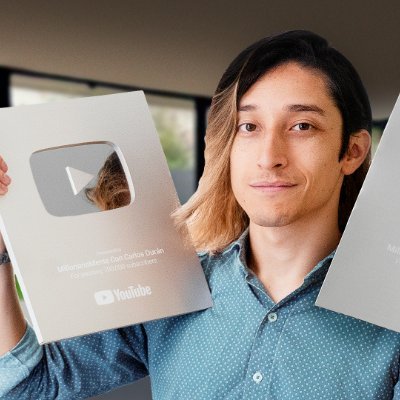
Para eso: NUNCA pongas tus Links. Si haces eso, tu video se vera en otro reproductor o una pagina dentro de otra App. Mejor usa la pagina linktw.in Ahi pondras el link de tu video y te generara un nuevo enlace que SI abrira tu video dentro de la App de YT.

Let's stop sharing links THE WRONG WAY because it's costing you views and engagement. Instead, copy the link to your video and paste it to this website called LinkTwin. From there, copy the link generated and share it across all your social channels.

Quick life hack: Use linktw.in to create a link that when shared on Instagram on mobile opens the video in the YT app, not in a web browser. This allows people to interact with your video as opposed to just watching and clicking off.
Post your video links in the comments with linktw.in So it opens up in app (lil nugget for you)

Hola! Te recomiendo uses esta web linktw.in para postear los links de Youtube y de esta manera al dar click abrira directamente en la app y no en el navegador o dentro de twitter. Aumentara tu engagement y eliminas friccion.

This is why I share my YouTube video either with linktwin, so it opens the YouTube App on their phone.

Awesome tool for Instagram creators! IG story links don't open in dedicated apps, like YouTube. Use linktw.in to level-up your links, sending the audience straight to your content on their specific apps, rather than a login-prompt within the IG browser!

Tool Alert: You're sharing your YouTube links the wrong way on social! Use LinkTwin so your shared links open inside the YouTube app and increase your chances of getting more subscribers.

Want to grow on YouTube? Use this tool to make your video shareable: linktw.in

linktw.in usa tu link ahi para que se abra directamente en la app, asi se puedan suscribir mas facil.

Astuce pour ceux qui partagent des liens YouTube en story Instagram : Au lieu de rediriger les gens vers une page web par defaut ou ils ne pourront pas liker ou s'abonner, generez d'abord le lien sur linktw.in

これ使ってリンク作るとアプリに直で飛べるからチャンネル登録してくれる人増えるよ!別媒体に動員しやすくなる!!機会があったらやってみて!

Little handy tips for you. If others are like me, most are on mobile. Ur YouTube link open browser instead of YouTube app directly. Try this link.

CONTENT CREATOR HACK for YouTube videos! Hate posting link to YT on socials to no likes, subs, and possible shorter retention? Use linktw.in — Generate a link. It'll load up YT videos on YT app!
Common questions from performance marketers about fixing in-app browser conversion issues. Still have questions? Contact us
When people tap your social ads, the landing page opens in the app's built-in browser instead of Safari or Chrome. That browser does not have their saved logins or card details, and Apple Pay and Google Pay are often missing, so they have to type everything by hand and many give up. LinkTwin sends Facebook and Instagram ad clicks to the real browser, where checkout works the way they are used to.
Yes. UTM tags in your landing page URL stay as they are, and by default LinkTwin also passes on what the ad platform adds to the click, like your URL parameters, fbclid and ttclid. Your Meta Pixel, TikTok Pixel and Google Analytics run on your landing page as usual. Pixels on the LinkTwin link itself come on every plan, and they fire before the visitor leaves the in-app browser.
It's simple: instead of using your landing page URL directly in your ad, create a LinkTwin link first. Paste your landing page URL (with all UTM parameters) into LinkTwin, get your short link, and use that as your ad destination. That's it. Your ads run exactly the same way, but now clicks open in the real browser instead of the in-app browser.
LinkTwin links are standard HTTPS redirects, and the page people land on is your own. Each platform reviews the final landing page under its own policies, and some ask that the link domain matches the website shown in the ad, so check your platform's destination rules. Using your own branded domain for LinkTwin links helps there. Custom domains come from the Medium plan.
On a computer or in a phone's own browser, the LinkTwin page sends visitors on as soon as it has loaded. Inside Facebook or Instagram it first takes them out of the in-app browser, which takes a moment longer. Your bounce rate is measured on your landing page, which they then reach in their own browser, signed in.
You can start free with no credit card. The free plan has 10 links and 500 clicks a month and works with well-known sites like Amazon, YouTube and Spotify. Ads that send people to your own landing page need a paid plan. API access comes on every plan, pixels on every plan and your own domain from the Medium plan. See pricing for the limits of each plan.
TikTok does not let any link leave its in-app browser on its own, Spark Ads included. By default LinkTwin shows TikTok visitors a full-screen guide to TikTok's own Open in browser option, two taps away. If you prefer, you can set your links to open straight inside TikTok instead.
Yes. Instagram ad clicks open in the same built-in browser as bio and Story links. With a LinkTwin link as the website URL, the click leaves it automatically: on iPhone in the visitor's default browser, on Android in the phone's browser. Read more about Instagram links and the in-app browser.
In Google Analytics 4, open Reports, then Tech, then Tech details, and look at the Browser dimension. In-app traffic shows up as rows like Safari (in-app) and Android Webview. Compare their conversion rate with Safari and Chrome to see your own gap.
The same LinkTwin account covers your organic links, your audiences and every app your customers use.
For Instagram creators
For advertisers
For any website
Paste your landing page URL. It takes a few seconds and you can start free.
Free forever plan · UTM & pixels preserved · No credit card



 GoogleFiring