
 Amazon & Affiliate Marketing
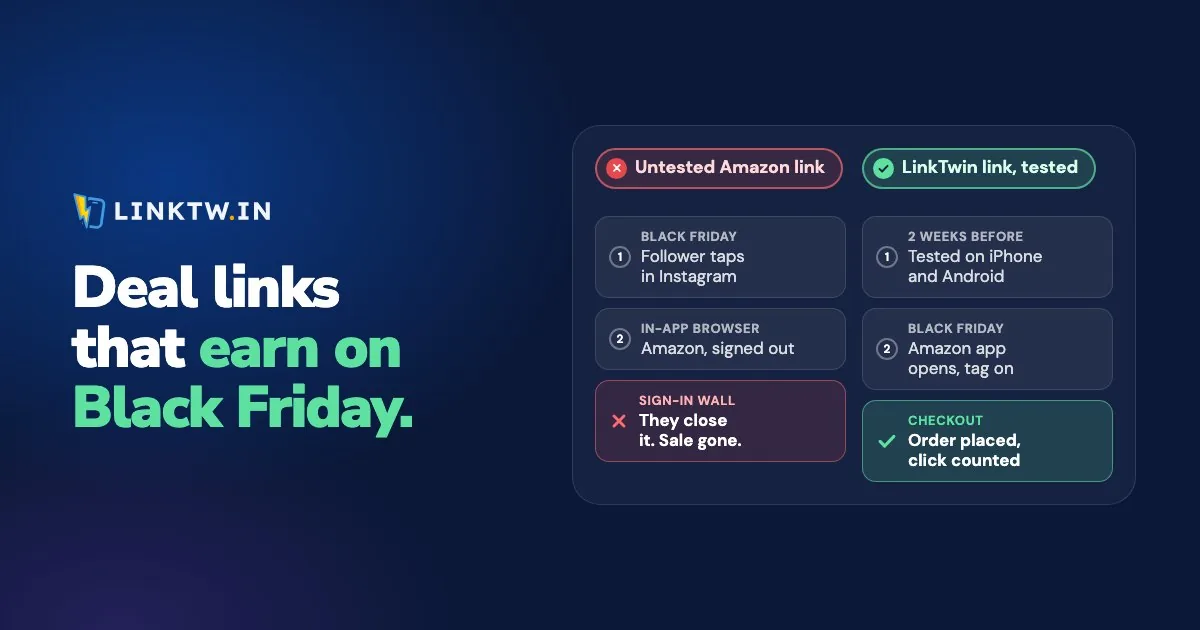
Before Black Friday, tap every affiliate link on a phone, inside the app where you'll post it, and make sure it lands on the right product with your tag, in the shopper's own Amazon store. Then clear anything that could switch a link off mid-sale, plan for products that sell out, and read each caption against Amazon's sale rules.
The first check is the one most deal links fail. A plain Amazon URL tapped in Instagram loads Amazon's site inside Instagram's browser, where the shopper often isn't signed in, so "Buy Now" turns into a sign-in form. When the Amazon app is installed, a LinkTwin link opens the product in the Amazon app, where your follower is already signed in, with your Associates tag on it and in the Amazon store for their country.
| Check | Passes when |
|---|---|
| 1. List every deal link, its product and where it will go | One list covers your bio, Stories, video descriptions and pinned posts |
| 2. Tap each link on an iPhone and an Android phone, inside the app you post in | The Amazon app opens on the right product, signed in |
| 3. Read the tag on the final Amazon address | Your tag is there, and a tag is saved for every store you earn in |
| 4. Check the country store | A shopper abroad lands in their own Amazon store |
| 5. Clear expiry dates and click limits | Nothing can end the link before Cyber Monday is over |
| 6. Plan for sold-out products | Stock monitoring is on for your top deals, or a backup is written down |
| 7. Read each caption against Amazon's sale rules | No typed price, a disclosure next to the link, and Amazon's ad rule checked before you pay to promote a deal post |
| 8. Watch clicks and take down ended deals | You check the report each sale day, and no post still names a deal that ended |
Black Friday is the Friday after US Thanksgiving, so it falls between November 23 and 29, and Cyber Monday comes three days later. In recent years Amazon has opened its deals about a week before Black Friday, and its Black Friday FAQ posts the current dates. Do checks 1 to 4 about two weeks before the first deal, while borrowing a second phone is still easy, and the rest in the week of the sale.
Tap every link on a phone
A link that works in Chrome on your laptop hasn't been tested yet. Your followers tap inside Instagram, Facebook or YouTube, so test the exact short link you'll post, from the spot where it will live.
- Put it somewhere only you will tap: a Close Friends Story, a DM to yourself, or the description of an unlisted video.
- Tap it on an iPhone and on an Android phone. If you only own one, borrow the other for ten minutes.
- Note where you land: the Amazon app, the phone's browser, or still inside the social app.
- Check the product, the country store, and that you're signed in.
- Tap it once more on a phone without the Amazon app. You should get Amazon's web page, with your tag still on the link.
If LinkTwin shows an "Open in app" button first (Facebook on iPhone does this), one tap on it is part of a pass, not a failure. If you post deals on TikTok, switch on Optimize Links For TikTok in Link Settings before you copy the link, and read what TikTok viewers see when they tap a link so you can tell them in the video.
Check your tag and the country store
A link that opens cleanly but carries no tag earns nothing. Amazon wants your Associates ID on every link, written like tag=yourname-20 on amazon.com, so open each short link in a desktop browser and read the Amazon address it lands on. Do this pass on a computer, because the Amazon app doesn't show you the address.
Then the store. A follower in Canada who lands on amazon.com is in a store that may not ship to them, and the tag you saved for amazon.ca never gets used. In Amazon Settings, save an Associates tag for each store you've joined and make sure Auto-Geolocation is on. LinkTwin then sends every shopper to their own country's Amazon store, one of 23, and adds the tag you saved for it. Amazon links for an international audience walks through that setup store by store.
If some of your URLs already carry a different tracking ID, turn on Keep tags already on a link in the same settings. Your saved tag then fills in only where a link has none.
Amazon's rules that matter in sale week
Amazon's Program Policies apply all year, but three of them catch deal posts. Our reading, not legal advice:
- No prices typed by hand. Amazon's Program Policies let you show a price only when Amazon serves it or you pull it through its Creators API or PA API. "Check today's price on Amazon" works on Friday and still works on Monday. "Now $49" doesn't.
- Take ended deals down. The same policies say "You must remove from your Site any links and related references to limited time promotions" as soon as the promotion ends on Amazon. A Friday-only discount shouldn't still be up when your Cyber Monday posts go out.
- Check the ad rule before you pay to promote. Amazon doesn't pay on purchases by customers referred "through any advertisement that you purchased" (Commission Income Statement, section 2(c)). Its change summary effective April 14, 2026 adds that this covers "any paid or boosted advertisement linking to Amazon, regardless of whether prohibited keywords are used", and that limited exceptions apply. If you plan to boost a deal post, read both pages first. Those taps still show up as clicks in LinkTwin.
Every deal post also needs a disclosure right next to the link, not tucked into a pinned comment. Affiliate disclosure for creators has wording that fits each app.
Clear expiry dates and plan for sold-out deals
A link you set up for last year's sale may still carry an end date. Open its edit page and look at Link Expiration: clear any Expiry Date or Click Limit that could kick in before Cyber Monday is over. The click limit is the easy one to forget, because the deal that does best reaches it first.
Link expiry is available on every plan.
Some of your best deals will sell out. Once stock monitoring is on in Amazon Settings, the Stock Monitor & Replacement section of a link's edit page decides what happens when that product runs out: a status dot in your dashboard, a daily summary email, or the link moves to a product you picked (My product) or to a related one (Auto-replace). Set Monitoring to Always on the deals you expect to go first, so they never rotate out of the watch list.
Stock monitoring is available from the Medium plan.
Without monitoring, write a backup product down for each top link. When the first one sells out, point the same short link at the backup, and every post that already carries it keeps working.
Changing where a link points after you share it is included on every paid plan.
What to watch once the deals are live
Each LinkTwin link has its own click report: clicks over time, country, city when it can be located, device and operating system, browser, and the source or referrer. Add a + to the end of a short link (linktw.in/friday-deal+) to jump straight to its stats, and set Timezone in Link Settings before the sale so the hours match your day.
If a top link's clicks suddenly stop, run the phone test again on that placement, and if a new country starts climbing, check that you saved a tag for its store. Orders and commissions live in your Associates reports, so read the two side by side.
A tap isn't the end of the earning window either. Anything a shopper adds to the cart within 24 hours of the click can still earn if they check out later, up to 89 days after it (section 1(b) of the Commission Income Statement in Amazon's Program Policies). How Amazon's 24-hour cookie works explains what closes that window early.
Swap in links that open the app
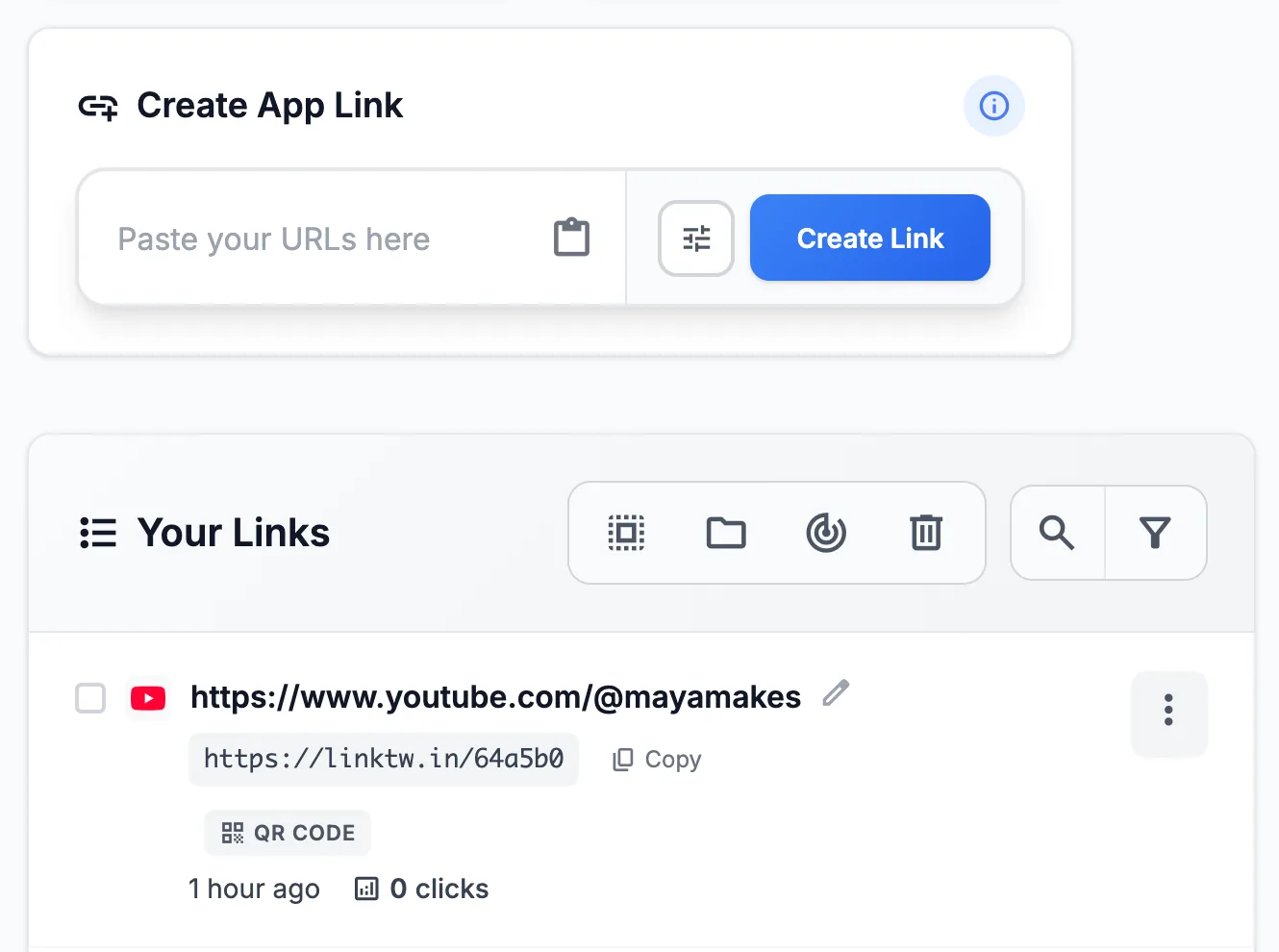
Most of the work is replacing the plain Amazon URLs already in your bio, your best videos and your pinned posts. Paste each one into the Create App Link box (amazon.com, amzn.to and a.co links all work), put the short link where the old one was, and run the phone test. The same list works again for Prime Day.
LinkTwin is free to start: the free plan includes 10 links and 500 clicks a month. The Amazon affiliate links page shows what a follower sees after the tap.