
 Instagram, TikTok & In-App Browsers
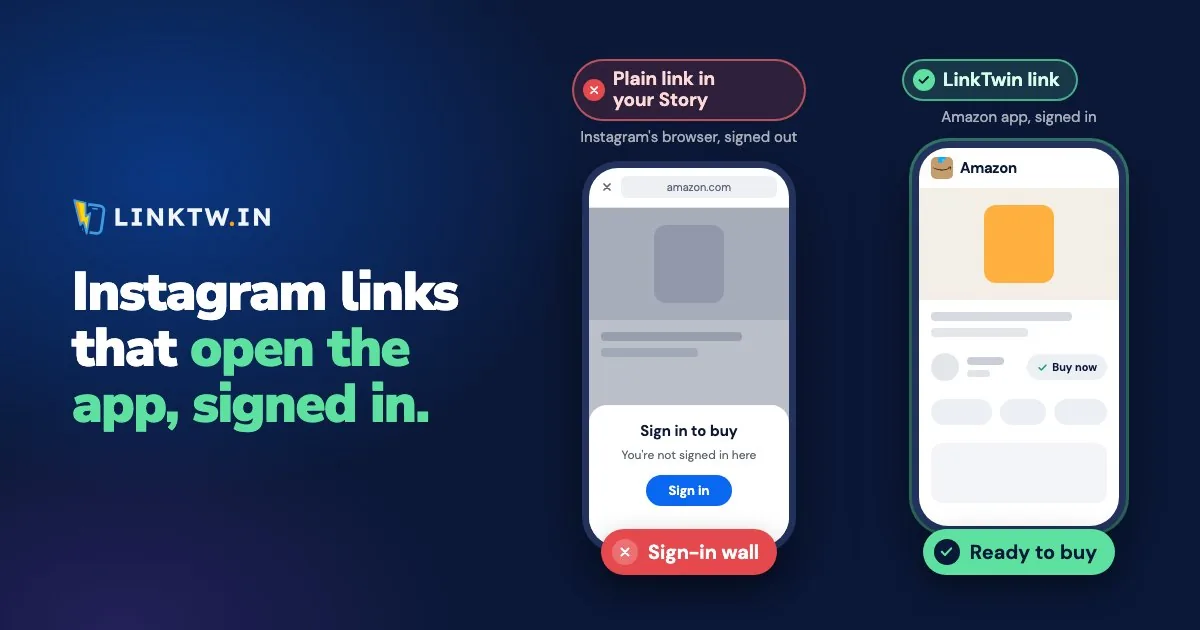
Instagram opens links in its own browser, so a YouTube, Amazon or Spotify link you post never reaches the app it points to. Instagram's help page says so: by default, a link tapped in a post, an ad, a Story or a message opens in the in-app browser.
From your follower's side, it goes like this. They tap the link sticker on your Story, the video starts in a small window inside Instagram, and when they hit Subscribe, Google asks them to sign in. Their YouTube app, signed in and ready, never gets the tap. Clearing the cache or reinstalling Instagram won't change that: opening links in its own browser is the app's default. What you can change is the link.
A LinkTwin link opens the destination app from Instagram: tapped in your bio, a Story or a DM, it opens YouTube, Amazon, Spotify or one of 100+ other apps directly, where your follower is already signed in. A link to an ordinary website goes out to the phone's own browser (Safari, Chrome and others), where saved logins and cards live. The Instagram link opener shows a plain link and a LinkTwin link on the same tap.
| What you pasted | What a tap in Instagram does |
|---|---|
| YouTube, Amazon, Spotify, or another supported app | That app opens, with your follower usually already signed in |
| One of those apps, but it isn't installed | The website, in the phone's own browser, outside Instagram |
| Your own website or shop | The phone's browser, with saved logins and cards |
Links to your own website or shop are included on every paid plan.
Amazon links are where a signed-out window costs the most. A plain link opens Amazon's site inside Instagram, where the follower usually isn't signed in. A LinkTwin link opens the product in the Amazon app with your Associates tag on it, and Amazon's 24-hour cookie starts from that tap.
The reason a plain link lands signed out is the window itself. An in-app browser keeps its own cookies, apart from Safari, Chrome and the apps, and what an in-app browser is goes through the rest of what that breaks. A follower could move the page out through the menu at the top right and Open in external browser, but few people know it's there, and nobody does it on every tap.
What to change on the link you post
You change the URL in the bio, the sticker or the DM. Your followers don't install anything or touch a setting for the tap to work.
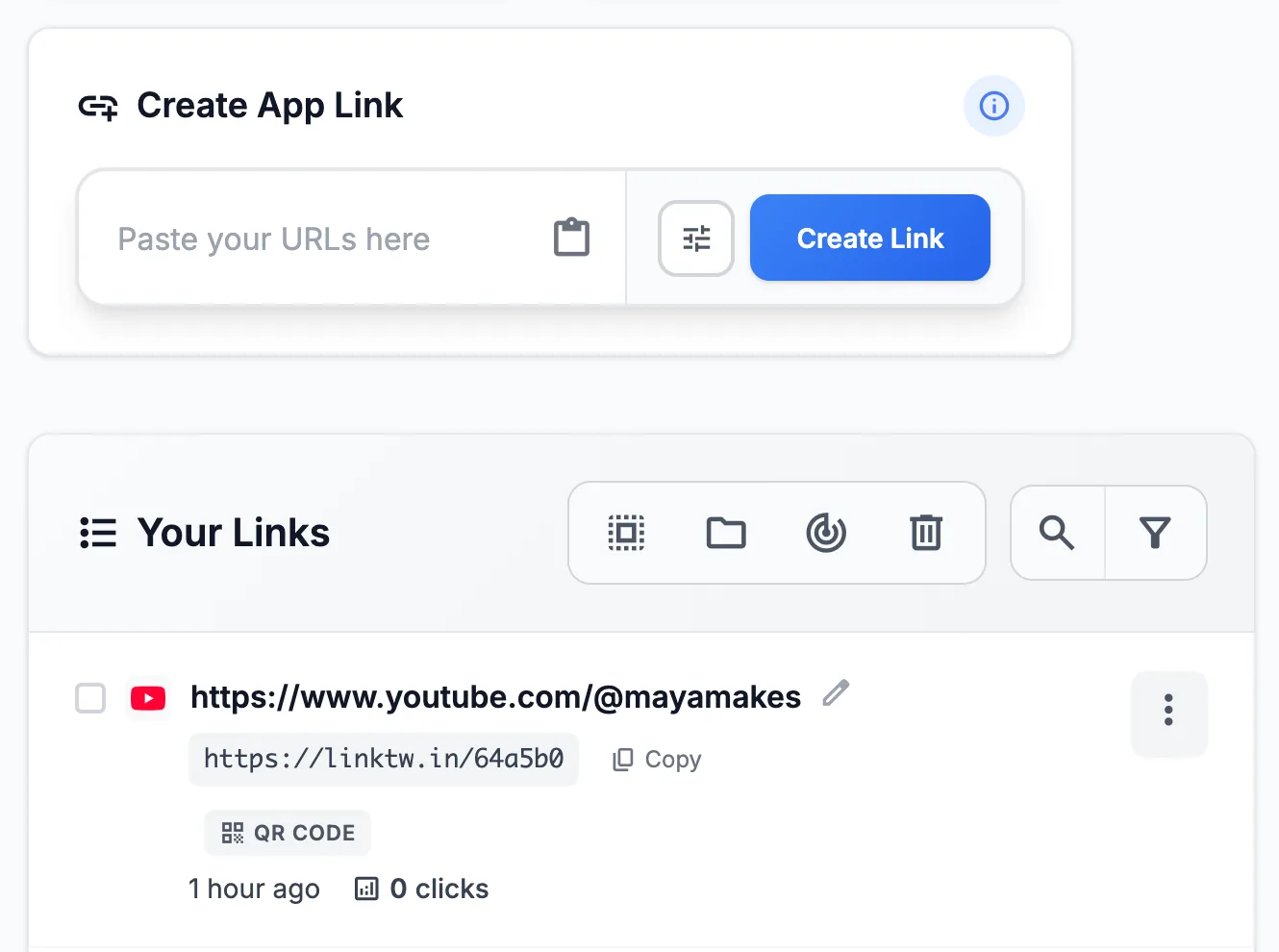
- Copy the URL you want opened: a YouTube video, an Amazon product, a Spotify track, or your shop.
- Paste it into the Create App Link box in your LinkTwin dashboard. You can try the same paste in the deep link generator first. In Link Settings, leave "If the Destination App Is Not Installed" on "Open in External Browser", the recommended option, so a follower without the app still leaves Instagram's browser.
- Copy the short link. Custom endings like linktw.in/your-name are available from the Medium plan.
- Post it where Instagram lets someone tap: your bio, a Story link sticker, a DM or an ad. A URL typed into a caption or a comment isn't tappable for most accounts, so use the caption to point at the spot that is. Every clickable spot on Instagram lists them all.
- Test it from inside Instagram, on a phone that has the destination app. Then open the click report for clicks over time, country, device and the source of each tap. LinkTwin counts clicks, not sales or subscribers.
It's free to start: the free plan includes 10 links and 500 clicks a month.
When an instagram.com link opens the browser
Some people who search this mean the reverse: a link to your profile or a Reel, tapped in a text or an email, opens instagram.com in Safari or Chrome instead of the Instagram app. That's a choice saved on the phone. On iPhone, press and hold an instagram.com link in Notes and choose to open it in Instagram, and iOS remembers that choice. On Android, turn on Open supported links under Settings, Apps, Instagram, Open by default.
When you send your profile or a Reel by email, text or QR code, send a LinkTwin link instead of the raw instagram.com address. Instagram is one of the apps LinkTwin opens, so people who have the app land in it, and people who don't get the website.
Common questions
Does the same link work on Threads?
Yes. A tap on Threads works the way it does on Instagram, with no change to the link.
What about TikTok?
TikTok keeps every link inside its own browser, and why TikTok links stay in TikTok shows what your viewers see there instead.
What if my bio holds a link-in-bio page instead of one link?
Then the page opens inside Instagram, and so does every plain button on it. A LinkTwin bio page is built for that: tapped inside Instagram, its YouTube, Amazon and Spotify buttons open their apps, and website buttons move to the phone's browser. Why a link in bio opens in the browser goes through the setup.