
 Tracking & Analytics
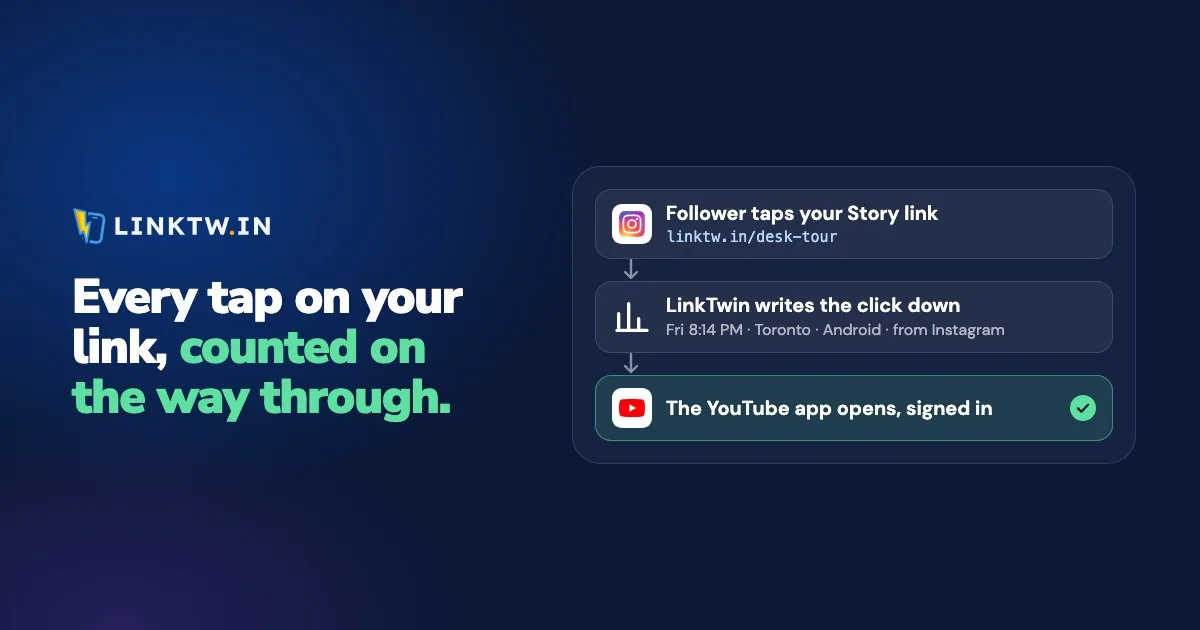
To track clicks on a link, share an address that records each tap before it opens the page. LinkTwin records every tap on a short link with the time, country, device and source, then opens the destination, so you can see how many people clicked even when the link goes to YouTube, Amazon or Spotify.
A plain youtube.com or amazon.com address writes nothing down on the way through. Put it on an Instagram Story and Instagram may show sticker taps while YouTube may show views, but neither is a count of taps on that exact link. Swap in linktw.in/studio-mic and every tap lands in a report you can open later. When the YouTube app is installed, the same link opens the video there instead of in Instagram's browser, where your follower is already signed in and can subscribe.
Ways to track clicks on a link
Every method writes the tap down somewhere: on a server the tap passes through, or with analytics code on a page you own. They don't cover the same links.
| Method | Works for | What you see |
|---|---|---|
| A tracked short link | Any link, including videos, products and pages on sites you don't run | Every tap, with time, place, device, browser and source |
| UTM tags read by Google Analytics | Only pages on a site where you run Google Analytics | Visits labeled with the source and campaign you wrote into the link |
| Click tracking in an email tool | Only links in the emails you send | Which subscriber clicked which link |
If the link points at YouTube, Amazon, Spotify or any site you don't run, only the first row can count it, because nobody can put analytics code on someone else's site. That's the gap a LinkTwin click report fills, and it's also why the link you post matters more than the dashboard you read. When a link does point at your own site, LinkTwin can add the UTM tags to it as well. UTM parameters are available on every plan.
What one click records
Say linktw.in/studio-mic points at your new video and sits on an Instagram Story. Someone taps it on an iPhone, and one row lands in your report: a time in your account's time zone, a country, a city when it can be located, the operating system, the browser and the source. Your follower fills in nothing. Every field comes from the tap itself, and four of them read a little differently than they look:
- Place comes from the IP address, so it's approximate. Country is usually right, and city is a best guess. A few clicks from a country you never posted to can be a VPN or Apple's Private Relay, not a new audience.
- Device means the operating system (iPhone, Android, iPad, Mac, Windows), not the phone model.
- Browser includes in-app browsers, so a tap inside Instagram or Facebook looks different from one in Safari or Chrome.
- Source names the app, not the post. A bio tap and a Story tap both arrive as Instagram, so give each placement its own short link if you want them apart. Chat apps, email and QR codes often pass on nothing, and those taps show as direct.
When your totals don't line up with Instagram Insights or Google Analytics, that's usually how each one counts, not a lost click. Why link clicks don't match other dashboards goes through each reason, including the visits labeled direct.
Clicks vs unique clicks
Clicks count every tap. Unique clicks count each IP address once, so someone who taps three times from the same connection adds three clicks and one unique click.
Unique clicks are the closer answer to "how many people clicked my link", but they still count connections, not people. A family on one Wi-Fi network counts once. One person who taps on Wi-Fi and again on mobile data counts twice.
Some requests aren't people at all. Paste a link into a chat and the app fetches it to draw the preview, which can look a lot like a tap. LinkTwin leaves out known bots and preview crawlers, plus networks on its blocklist, though an unusual automated visit can still slip through.
Can you see who clicked your link?
Not by name. A link in your bio or a Story is the same address for every follower, nobody signs in to tap it, and so the tap carries no name for any tracker to read. The one exception is an email tool, and only inside the emails you send, because each message goes to one known subscriber.
You can still reach the people who tapped, as a group. A retargeting pixel on the link lets Meta, TikTok or Google build an ad audience from those visits, and how to add a pixel to a link shows where each ID goes. Retargeting pixels are available on every plan.
What happens after the tap sits in someone else's dashboard. LinkTwin counts clicks, not sales or what people do inside the destination app. Amazon reports orders by tracking ID, and tracking affiliate clicks per video shows how to line your click report up with your Associates earnings. Views and subscribers stay in YouTube Analytics.
Track the links you share
- Paste the address into the Create App Link box: a YouTube video, an Amazon product, a Spotify track, or another well-known app or site.
- Use one short link per placement, so a Story and a bio don't share one total. A LinkTwin bio page has its own stats, separate from a Story link you track on its own. A readable ending such as linktw.in/studio-story is available from the Medium plan.
- Share it in a bio, a Story, a description or an email, or as a QR code. Every LinkTwin link has one, and scans count as clicks.
- Read the clicks. Open Statistics for all your links, or add a
+to one short link (linktw.in/studio-mic+) for its own page. - Show a sponsor. On that link's stats, choose Share stats and turn on public sharing. Anyone with that link sees the numbers without an account, which is how you track clicks on a sponsor's link and report back to the brand.
When you want to know which of two destinations earns more taps, one short link can split its traffic between them, and how to A/B test a link covers reading the result.
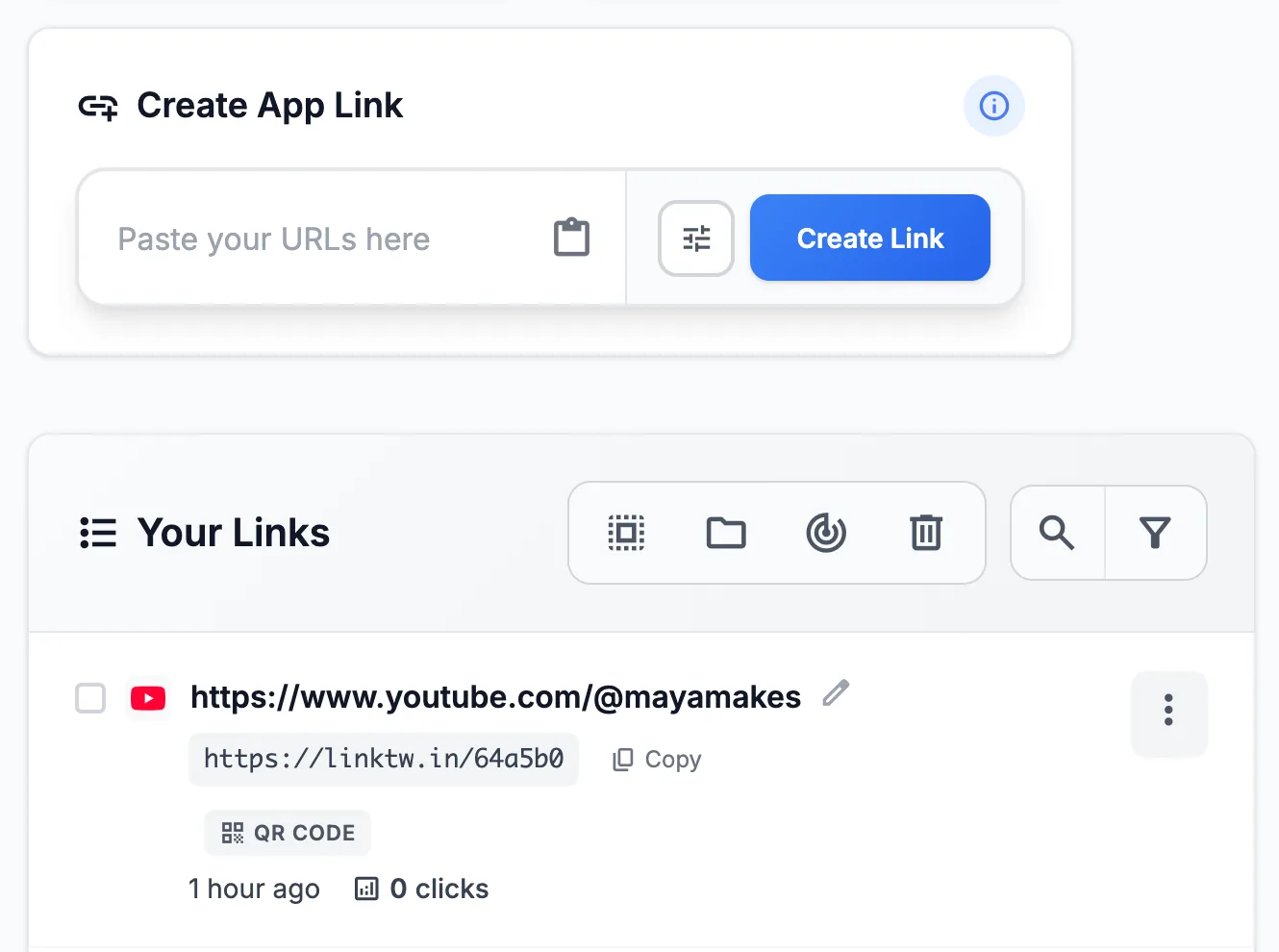
It's free to start: the free plan includes 10 links and 500 clicks a month. The free plan keeps 14 days of click history.
Common questions
Can I track a link I've already posted?
Not after the fact. A plain link already out in the world passes through nothing that counts it. Swap in a short link wherever you can still edit, such as your bio, a video description or a pinned comment, and counting starts from that swap.
Can I count QR code scans on their own?
Yes. Every LinkTwin link has a QR code, and scans are counted as clicks on that link. Give a code its own short link if you want its scans counted apart from your bio or your Stories.