
 Instagram, TikTok & In-App Browsers
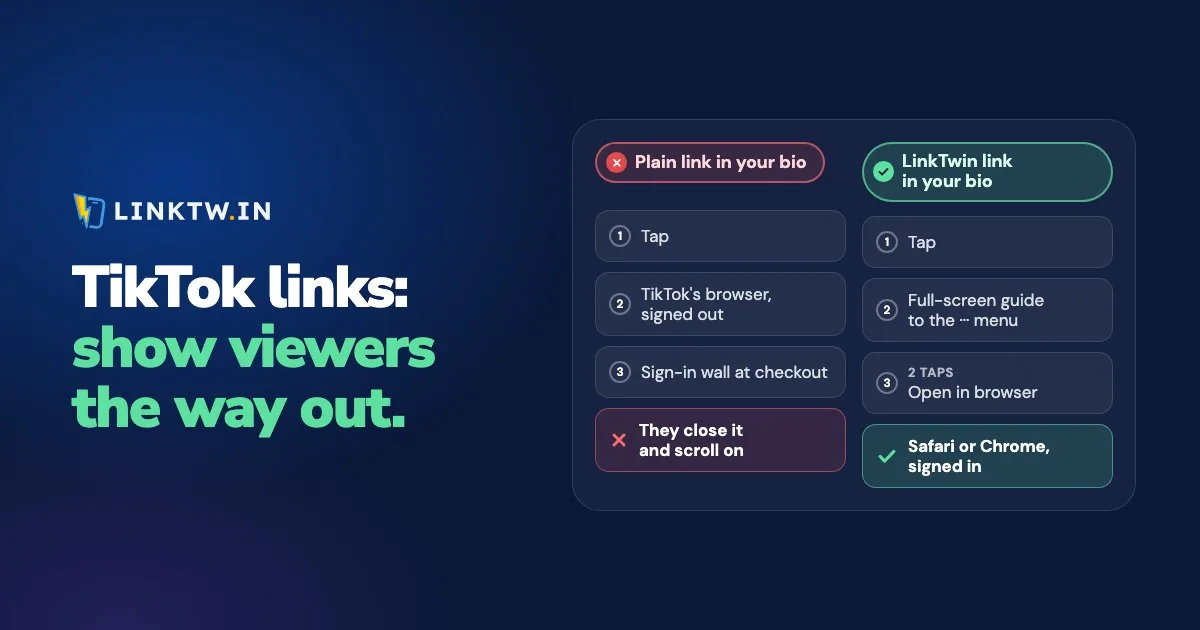
A link on a TikTok profile opens in TikTok's in-app browser, and no link gets out of it by itself, on iPhone or on Android. TikTok's help page on profile links says it directly: tap a link on someone's profile and TikTok's in-app browser opens the page. To move that page to Safari or Chrome, the viewer taps the three dots (···) on the browser's top bar, then the option to open the page in their browser.
Those two taps are how a viewer gets out, and an ordinary page doesn't tell anyone they exist. So many viewers stay on a page inside TikTok where they usually aren't signed in. Your shop asks for an email and a card typed by hand, and YouTube's Subscribe button asks them to sign in, all for something they found in a fifteen-second clip.
A LinkTwin link shows your viewers the way out. Tapped inside TikTok on a phone, it fills the screen with a guide that points at the ··· button and tells them to tap "Open in browser", and the click is counted. After the two taps, a shop opens in the real browser with saved passwords and cards, and a link to YouTube, Amazon, Spotify or 100+ other apps opens that app, or its website if the app isn't installed. Switch on Optimize Links For TikTok in Link Settings and your new links use linktwin.co, the domain built to work reliably inside TikTok.
We can't remove the two taps. TikTok decides that, and some viewers won't make them. What the guide changes is that every viewer knows the taps are there.
A plain bio link next to a LinkTwin link
The same profile and the same viewer get two different first screens, depending on what you pasted into the Links field:
| Link in your TikTok bio | What opens first | Where they can end up |
|---|---|---|
| A plain URL | Your page, inside TikTok, usually signed out | TikTok's browser, unless they already know the menu |
| A LinkTwin link | A full-screen guide to the ··· menu | Safari or Chrome after two taps, then the app for app links |
| A LinkTwin bio page | Your page, inside TikTok; tapping a button shows the same guide | Safari or Chrome after two taps, then the app for that button |
TikTok is the strict one. On Instagram, the same LinkTwin link opens the YouTube or Amazon app straight from the tap, with no guide at all, and how in-app browsers work in each app lays the apps side by side.
Links to your own website or shop are included on every paid plan.
Turn the guide on before the link goes in your bio
- In Link Settings, under TikTok Optimization, turn on Optimize Links For TikTok. New links then use linktwin.co, the TikTok-compatible domain. A branded domain you've already set as your default stays as it is.
- Under When Opened Inside TikTok, keep Guide Users To Open In Browser. Skip TikTok Instructions sends visitors to the destination without the guide, so they stay in TikTok's browser.
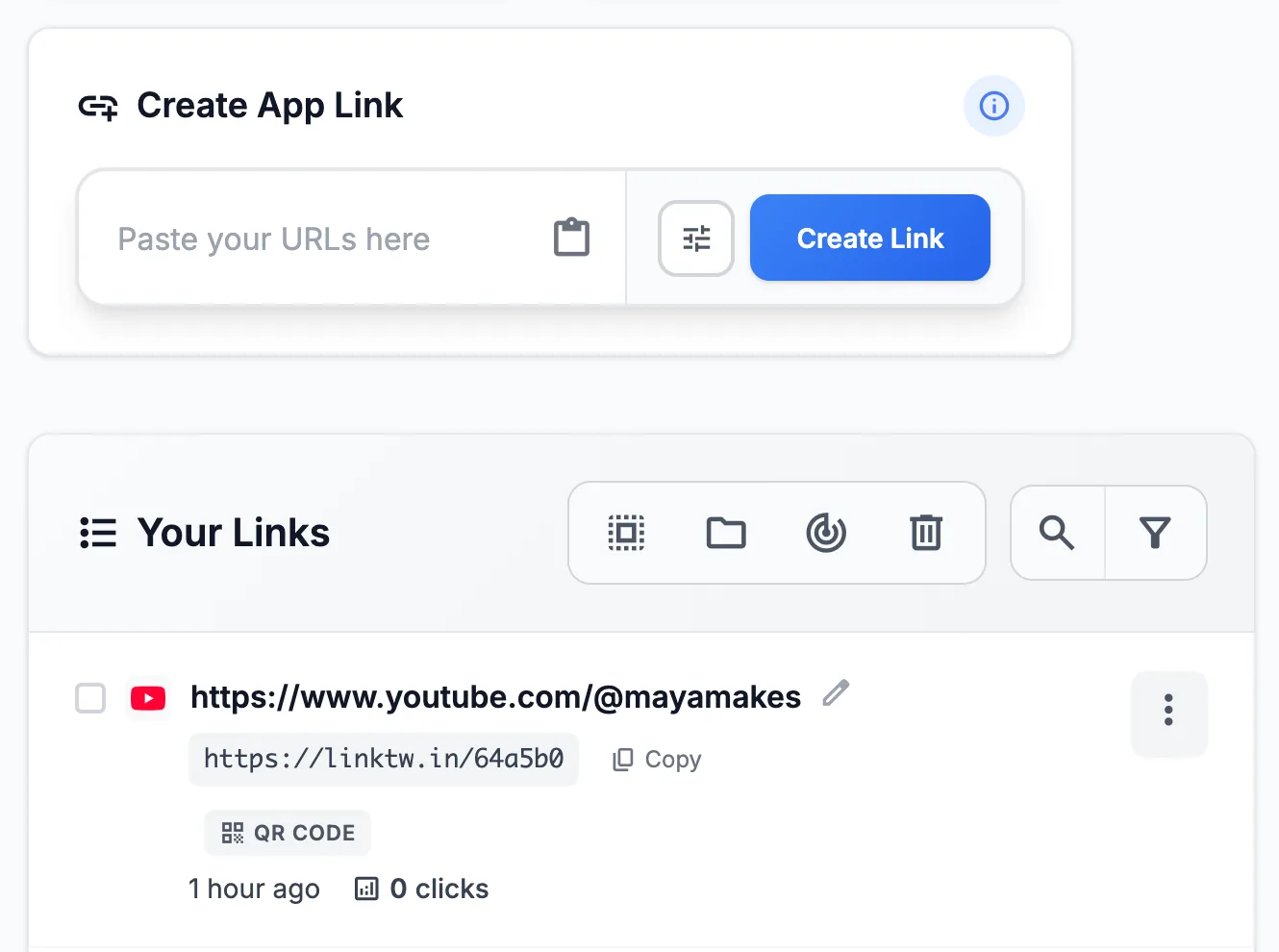
- Paste the page you want people to reach into the Create App Link box and copy the short link. That TikTok link is the one that belongs on your profile.
- Add it under Edit profile, then Links. As of November 2026, TikTok gives that field to accounts with at least 1,000 followers or a Verified Business Account, and how to add a link to your TikTok bio explains what to do before you get there.
- From a second account on your phone, tap the link and make the two taps. On a computer the link goes straight to the page with no guide, so a desktop check won't show you what viewers see. Then open the click report: clicks over time, country, city when it can be located, device, operating system, browser and source. LinkTwin counts the click, not the sale or the subscribe that may follow it.
It's free to start: the free plan includes 10 links and 500 clicks a month.
If you're sending people to YouTube, the clip matters as much as the link, and promoting YouTube videos on TikTok goes through which clips to post and what to say in them.
Common questions
Can I put a clickable link in a TikTok caption or comment?
Not by typing it. TikTok's Destination Links can attach a link to a video, but only for Verified Business Accounts that TikTok has opened the feature to. For most creators, the profile link is the place, so that one link has to show people the way out.
Will my Instagram followers see the TikTok guide?
No. The guide appears only when the link is opened inside TikTok on a phone. On Instagram, the same link opens the YouTube or Amazon app directly, and a website opens in the phone's browser. On a computer it goes straight to the page.