
 Deep Linking
A deep link is a link that opens one specific screen inside an app, such as a video in YouTube, a product in Amazon or a song in Spotify, instead of a website or the app's home screen. Deep linking is the handoff that takes a tap straight to that screen, signed in, with the app's own buttons.
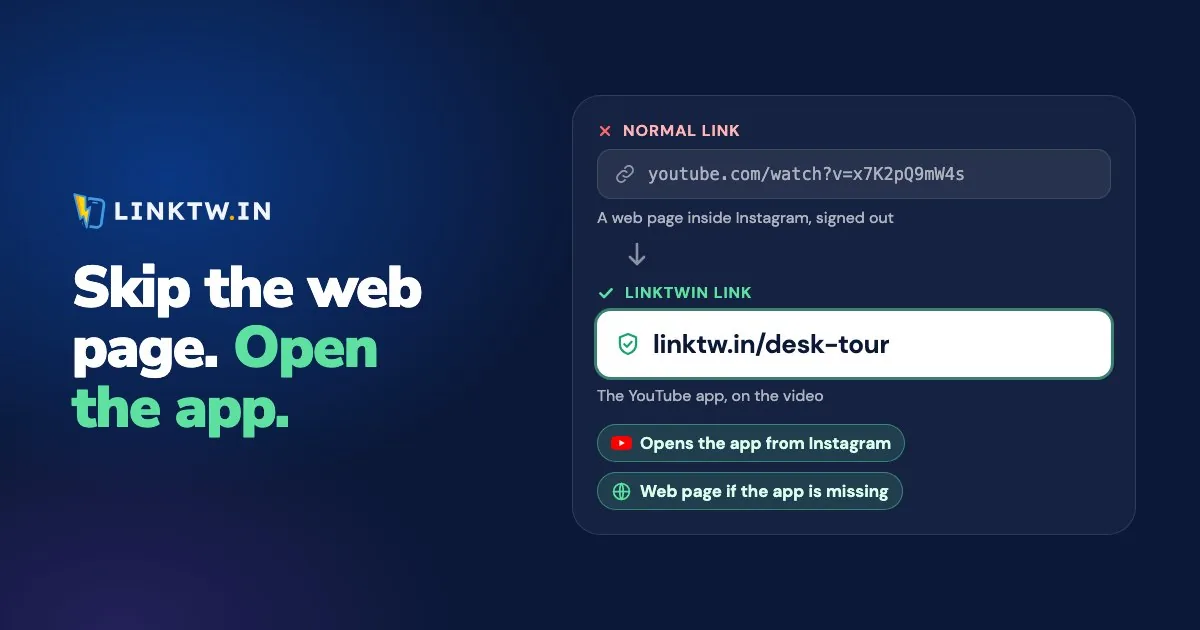
You've used them for years. Text a friend a YouTube link and, if they have the app, the video opens in YouTube. Post that same link in your Instagram bio, though, and your follower gets YouTube's website inside Instagram, usually signed out. A LinkTwin link is a deep link that still works from there: when the app is installed, it opens the YouTube video, the Amazon product or the Spotify song in its own app from an Instagram bio or Story, where your follower is already signed in.
Deep link examples
Each address below names one screen. The ID at the end is what the app reads to know which video, song or product to show. They're examples of the shape, not live pages.
| Screen | Link that names it |
|---|---|
| A YouTube video | https://www.youtube.com/watch?v=VIDEO_ID |
| A Spotify song | https://open.spotify.com/track/TRACK_ID |
| An Amazon product | https://www.amazon.com/dp/PRODUCT_ID |
| An Instagram profile | https://www.instagram.com/username |
These are ordinary web addresses, and that's the point. YouTube, Spotify, Amazon and Instagram have each told the phone that their app owns their own addresses, so when the phone gets the tap, it opens the app instead of the website. Only the company that owns youtube.com can make that claim for youtube.com, which is why nobody can edit a YouTube link into "a better deep link" by hand.
Types of deep links
"Deep link" covers three different mechanisms. What separates them is what happens when the app isn't on the phone.
| Type | What it looks like | If the app is missing |
|---|---|---|
| URI scheme | A custom prefix, like spotify:track:... |
Nothing opens, unless whatever sent it has its own fallback |
| Universal Link (iPhone) or App Link (Android) | A normal https address, like https://open.spotify.com/track/... |
The web page opens in the browser |
| Deferred deep link | A link made with the app owner's install-tracking tools | The app store, then the right screen after the install |
A URI scheme is the oldest kind: the part before the colon names the app. If you've tapped a mailto: address and watched your mail app open, you've seen the same idea at its simplest. On a phone without that app, a raw spotify: link is a dead tap, so it's never the link to put in a bio.
Universal Links (Apple's name) and App Links (Android's) are the https kind from the examples above. The app's maker publishes a small file on its own website (apple-app-site-association for iPhone, assetlinks.json for Android) that says which app may open which addresses, and only the site's owner can publish it, so a stranger's app can't take over YouTube's addresses and there's always a web page to fall back on. Scheme links have no such check: two apps can claim the same scheme, and on an iPhone it's undefined which one opens. As a creator you publish nothing. YouTube, Spotify and Amazon have already done their part, which is why a LinkTwin link works for any supported app with no setup on your side.
What a deferred deep link is
A deferred deep link remembers where it was pointing while someone installs the app. A new user taps it, goes to the App Store or Google Play, installs, and the app then opens on the screen the link named. That takes code inside the app, so it's something a company builds for its own app. For a link into YouTube, Amazon or Spotify, the apps aren't yours, and a deep link that opens them when they're installed is what you need.
Why a deep link opens the website instead
A deep link only works when the phone gets to decide where the tap goes. In a text, an email or a notes app, it does: the phone checks which app owns the address and opens it. Instagram, Facebook and X don't hand the tap to the phone. They usually load the address in their own built-in browser, so the phone isn't asked, and YouTube's or Amazon's claim on that address doesn't get a say. The link text can be identical in both places.
That's why a link that opens the app from your Notes can still open a website from your bio. The link isn't broken. It's being opened somewhere that doesn't ask the phone.
A deep link for an app you don't own
You can't change Instagram's browser, and you can't change youtube.com. What you can change is the link you post. Paste the YouTube, Amazon or Spotify address into LinkTwin's deep link generator and you get a short link that looks at the phone and at the app the tap came from, then opens the destination in its own app. That works for 100+ supported apps. People land signed in, so they can subscribe, save or buy without logging in again. If the app isn't installed, they get the web page in their real browser, and links to an ordinary website go to the phone's browser too, where saved logins and cards live.
- In YouTube, Spotify, Amazon or whichever app you're sharing, tap Share, then Copy link.
- Paste it into LinkTwin and copy the short link.
- Post it in your bio, a Story or a DM, then tap it once yourself from there on a phone that has the app.
Every link also gets a click report (clicks over time, country, device and referrer) and a QR code. The free plan includes 10 links and 500 clicks a month.
More on links that open apps
| If you're asking | Read |
|---|---|
| Why does my deep link open the browser, and how do I test it? | Deep link not working |
| What is an in-app browser, and how does each social app handle links? | In-app browsers explained |
| Why don't my Instagram links open the app? | Instagram links not opening in the app |
| Why do my YouTube links open in the browser? | YouTube links not opening in the app |
| Why does a link posted on TikTok stay inside TikTok? | TikTok links stay in TikTok |
| Can my link-in-bio buttons open apps? | Link in bio that opens apps |
| Where can I put a link on Instagram so people can tap it? | Where you can put links on Instagram |
Common questions
Is a short link a deep link?
Not by itself. Most short links only redirect to the long address, so inside Instagram the long address still loads in Instagram's browser. A LinkTwin short link is a deep link because of what it does on the way through: it checks the phone and the app the tap came from, and opens the destination app.
Can I see who tapped a deep link?
Not by name. A tap goes from the phone to the app, and only the app's owner sees it arrive. A LinkTwin link counts the click on the way through, with country, device and source, and how to track link clicks covers what those numbers can show.