
 YouTube Creators
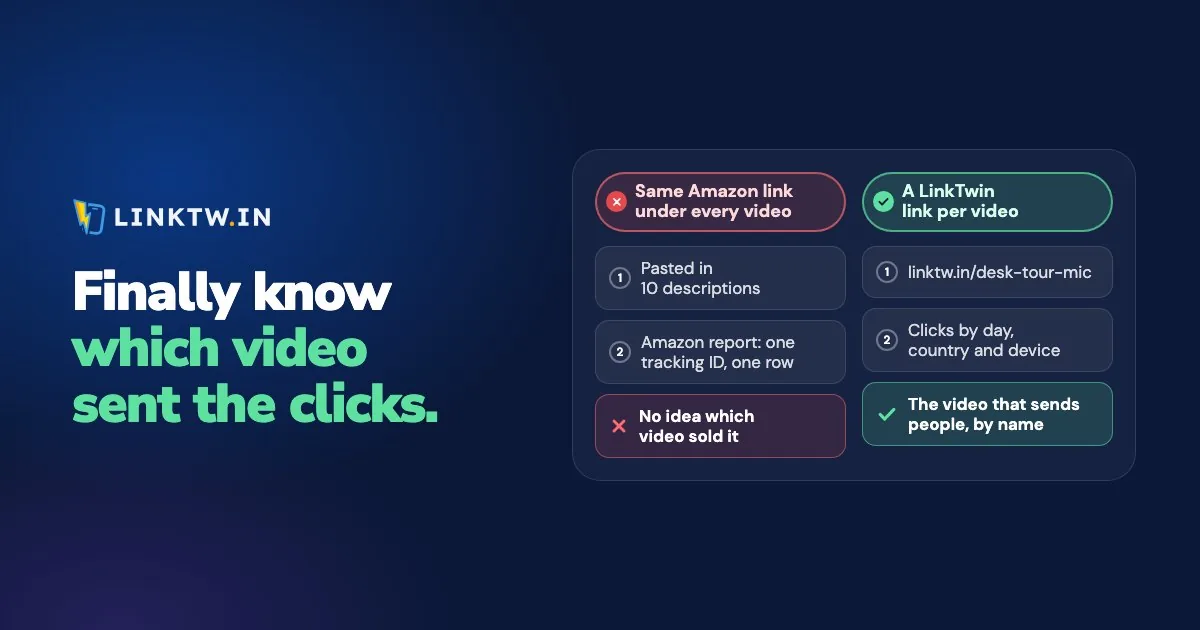
Amazon doesn't tell you which YouTube video earned a sale. Associates reports split clicks and orders by tracking ID, not by video, so the fix is two labels set before the video goes up: a tracking ID of its own on the video's Amazon URLs, and a short link of its own for each spot a viewer can tap. The tracking ID names the orders. The short link names the clicks.
A LinkTwin link gives each video and each placement its own click report, while the tracking ID on the Amazon URL keeps naming the orders. On a phone, the same tap opens the product in the Amazon app, where the viewer is already signed in, and your tag rides along. Amazon links that open the app shows what the shopper sees.
YouTube doesn't fill the gap either. If you tag products through YouTube Shopping, Studio shows daily totals of clicks and sales for your Amazon tags, but YouTube's help page says you can't see which video or product drove a purchase. Those tags are also paid through YouTube rather than Associates, a difference using Amazon Associates on a YouTube channel goes into.
What each report can name
Neither Amazon nor YouTube has a video column. A video only gets its own line if you gave it one before you published.
| Where you look | What is counted | Names the video? |
|---|---|---|
| Associates Central | Clicks and orders per tracking ID | Only when that video has its own tracking ID |
| YouTube Studio, product tags | Daily totals of clicks and sales for your Amazon tags | No |
| LinkTwin | Clicks per short link: day, country, device, referrer | Yes, when each video and placement has its own link |
Where to spend your tracking IDs
You create tracking IDs in Associates Central under Manage your Tracking ID, and Amazon allows 100 per account unless Associates support gives you more. A weekly upload would use them up in about two years, so don't put a fresh one on every community post. Spend them where the answer changes what you film next:
- One per video on reviews and comparisons built around products.
- One per series or playlist when you want to know which format sells.
- One shared ID for the rest of YouTube, so those orders stay apart from your site and your newsletter.
Create the ID before upload day and name it so it still means something in a year, such as ch-ep12-mic. Then build that video's Amazon links with it.
One short link per placement, not per product
Every spot a viewer can tap gets its own LinkTwin link. On long videos, that's the description and the pinned comment, once your channel has access to advanced features. Shorts descriptions and comments aren't clickable (YouTube Help), so send people from a Short to the long video instead. The other places YouTube lets you put a link follow the same rule.
- Description and pinned comment stay separate, even for the same product. Only separate links can show which one people tap.
- A new video gets a new link. Paste last month's short link into a new description and both videos share one click total.
- Name each link after its video, like
ep12-micandep12-mic-pin, so your links list sorts itself and nobody has to remember which ID was episode 12.
Custom link endings like ep12-mic are available from the Medium plan.
Write "on Amazon" next to each link and say that you earn from qualifying purchases. Affiliate disclosure wording for YouTube has lines for videos, Shorts and livestreams.
Products in this video (on Amazon, I earn from qualifying purchases):
Mic on Amazon: linktw.in/ep12-mic
Light on Amazon: linktw.in/ep12-light

Pinned comment:
Mic from this video, on Amazon: linktw.in/ep12-mic-pin
Line up the clicks with the orders
In Associates Central, filter by the video's tracking ID. In LinkTwin, open the same dates on that video's links. Compare weeks or months, not a single day. Amazon credits items added to the cart within 24 hours of the click and bought within 89 days (Amazon's Order Report help), so one day can show orders without clicks, or clicks whose orders haven't landed yet. How Amazon's 24-hour cookie works explains that window in full.
Say the mic review and the lamp review both ran in March. Filter March by ch-ep12-mic, then open March on ep12-mic and ep12-mic-pin. If the pin has the taps and that tracking ID has the orders, you know which review to make again and which placement did the work.
If a video's short links get plenty of taps but its tracking ID shows few Amazon clicks, either those links don't carry that ID or the taps went to another country's store. Open the link on a computer and read tag= in the address bar.
Orders that land in another country's report
If you send shoppers to the Amazon store of their country, a viewer who lands on amazon.de from your amazon.com link gets the tag you saved for Germany. That order shows up in your German Associates report, not under the video's tracking ID. It's still yours, just in a different report. Country store routing for Amazon links covers 23 stores. Read the video's tracking ID in the store you linked, and the country tags in the stores LinkTwin sent people to.
Create the short links without losing the ID
- Save your tags, then keep the video's ID. In Amazon Settings, save your Associates tag for each store you've joined and turn on Keep tags already on a link. The video's ID then stays on every tap that lands in the store you linked.
- Make the description link. Paste the Amazon link that carries the video's tracking ID into the Create App Link box. Then make a second link for the pinned comment.
- Read the taps. Add a
+to the end of a short link (linktw.in/ep12-mic+) to open its stats page, or open it from your links list. You get clicks and unique clicks by day, countries and cities, devices, browsers, referrers and peak hours. LinkTwin counts clicks. Sales stay in Associates Central.
Put a video's links in a collection and you get one report for all of them. Collections are available on every plan.
CSV export is available from the Medium plan.
Common questions
Why don't LinkTwin's clicks match Amazon's clicks?
They're counted at different moments. LinkTwin counts the tap on the short link, with known bots left out. Amazon counts a visit that arrives with your tag. Compare the trend across weeks, not the raw totals. Why link clicks and visits never match covers the other gaps.