
 YouTube Creators
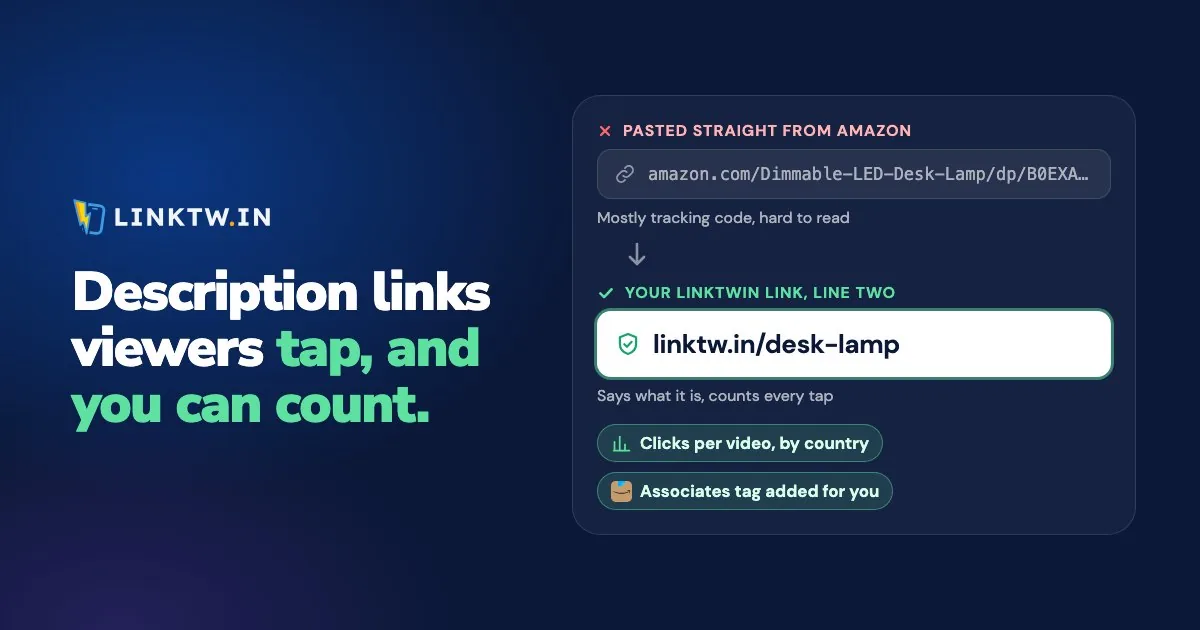
A link in a long-form YouTube video's description is clickable once your channel has advanced features. A link in a Shorts description never is: YouTube shows it as plain text on every channel, as its page on clickable links says.
Once the link works, two things decide what it earns you: whether viewers see it before the description folds, and whether you can tell how many of them tapped it. YouTube's help pages describe no click count for a description link. A LinkTwin link on line two of your description counts the taps by day, country and device, and on an Amazon link it also adds your Associates tag and sends each shopper to the Amazon store for their country, across 23 stores.
Why your YouTube description link isn't clickable
You saved the description, the address sits there as plain text, and tapping it does nothing. As of November 2026, it comes down to one of three things:
- The video is a Short. Since August 31, 2023, URLs in Shorts descriptions and comments are plain text, to cut down on spam, and no setting changes that. A few other spots on a Short still take a link.
- Advanced features are off. YouTube's feature access page lists clickable links in long-form descriptions as an advanced feature. How to turn them on is just below.
- The link breaks a rule. YouTube's external links policy bars links to anything that breaks its Community Guidelines, and a channel that doesn't follow those guidelines can lose access to features.
Turn on advanced features
- On a computer, open YouTube Studio and click Settings, then Channel, then Feature eligibility.
- Under Intermediate features, verify your phone number if you haven't yet.
- Under Advanced features, check whether you already qualify. Most active channels do, through their channel history. If yours doesn't, Access features lets you verify with an ID or a short video where YouTube offers it, and the review usually takes about 24 hours (YouTube's steps).
How to add a link to a YouTube description
- In YouTube Studio, open Content and click the video's title or thumbnail.
- In the description, write a short label, then paste the link after it, exactly as you copied it.
- Click Save, open the watch page on your phone, and tap the link once.
Where the link sits matters as much as whether it works. Viewers see only the first lines before "...more", and how many lines depends on the screen, so put the link the video is about on line two, right under one line that says what the video delivers. Check the published page on your own phone, and move the link up if it didn't make the cut. A pinned comment with the same link catches people who read the comments first, one of the spots mapped in where to put links on YouTube.
The label does half the selling. "The headphones from this video, on Amazon" tells people what they'll get and where they'll land, which a bare link never does:
The over-ear headphones tested in this video, with the noise test at the end
The headphones from this video, on Amazon (I earn a commission if you buy): https://linktw.in/headphones-review
If a link pays you, say so where viewers will see it. Affiliate disclosure for creators has the wording for the FTC and for Amazon, and where each line goes.
Put a LinkTwin link on line two
A raw Amazon address is long, full of tracking parameters, and tells you nothing after you post it. A LinkTwin link is short enough to read in a description, it goes straight to the product with your tag on it, and it records the tap. It's the same kind of link LinkTwin makes for YouTube creators to share their videos.
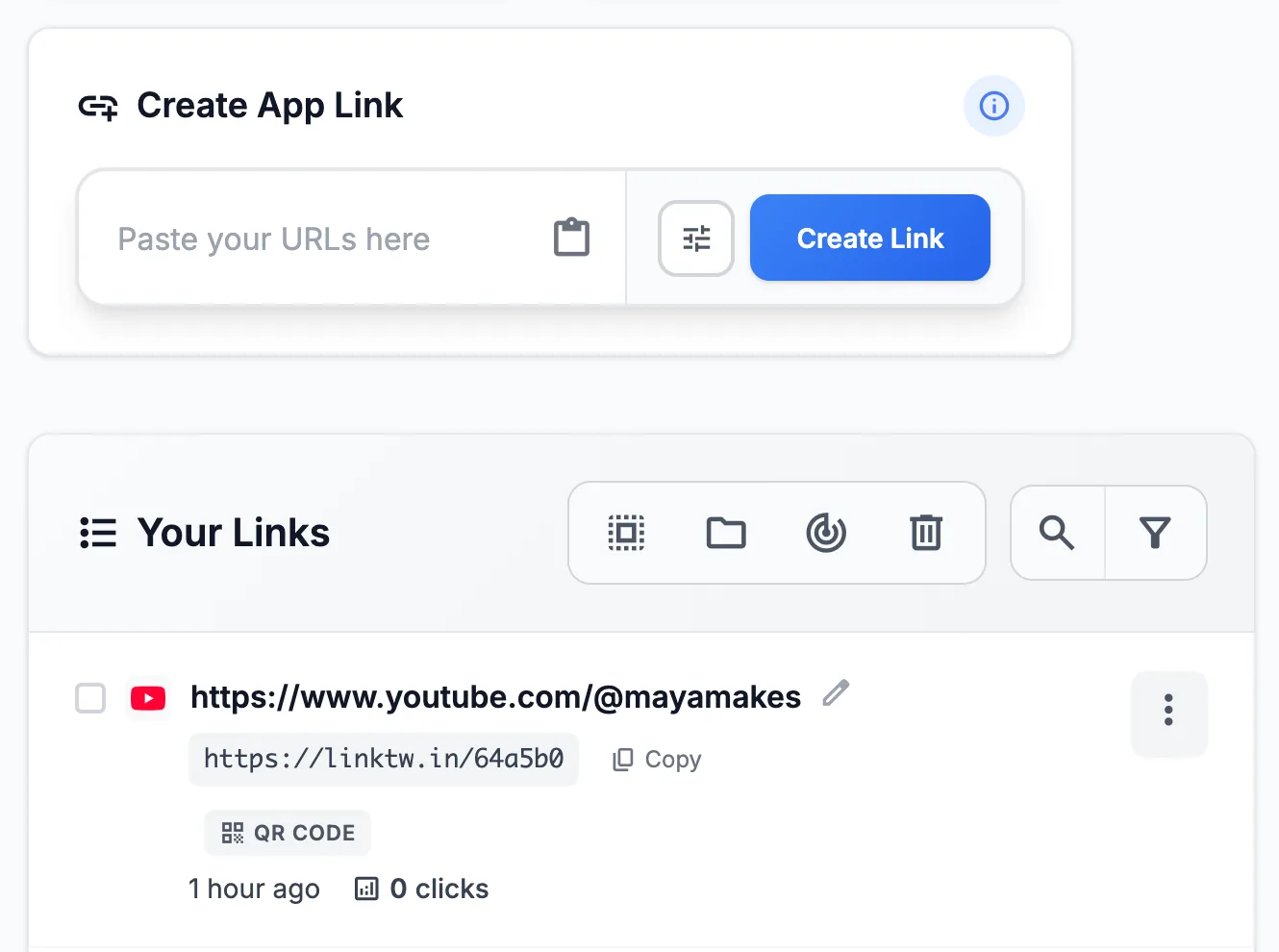
- Paste the destination into the Create App Link box in your LinkTwin dashboard: an Amazon product, a Spotify song, a YouTube video or your own shop. For Amazon, save your Associates tag once per store you use, and LinkTwin adds it to your Amazon links from then on.
- Copy the short link and paste it on line two, after the label. Save the video in YouTube Studio.
- Make one link per video. A link shared across videos gives you a single total, with no way to tell which video earned the taps. To match those taps to Amazon orders, add a tracking ID per video, the method in tracking affiliate clicks per video.
- Compare videos in the click report: clicks over time, country, city when it can be located, device, operating system, browser and source. Adding
+to the end of a short link (linktw.in/headphones-review+) opens its stats page.
A readable ending, such as linktw.in/headphones-review, is available from the Medium plan.
Links to your own website or shop are included on every paid plan.
On an iPhone, YouTube opens description links in its own in-app browser, where your viewer may not be signed in to the shop. Link the exact product or song, never a home page they'd have to search from. LinkTwin counts the click either way, though it doesn't see the sale.
Products sell out and programs change, and an old description keeps pointing at the dead page. Changing where a link points after you share it is included on every paid plan. For descriptions you already published with raw links, updating links in old YouTube descriptions shows how to swap them in one pass.
Common questions
How long can a YouTube description be?
Up to 5,000 characters. Length doesn't change what shows before "...more", though. Only the first lines do that work, so the link you care about still goes on line two.
Can I put more than one link in a description?
Yes. Once advanced features are on, every link in a long-form description that follows the external links policy is clickable. Keep one on line two and group the rest further down, each with its own label. Give each one its own LinkTwin link and the click report will show which got the taps.