
 YouTube Creators
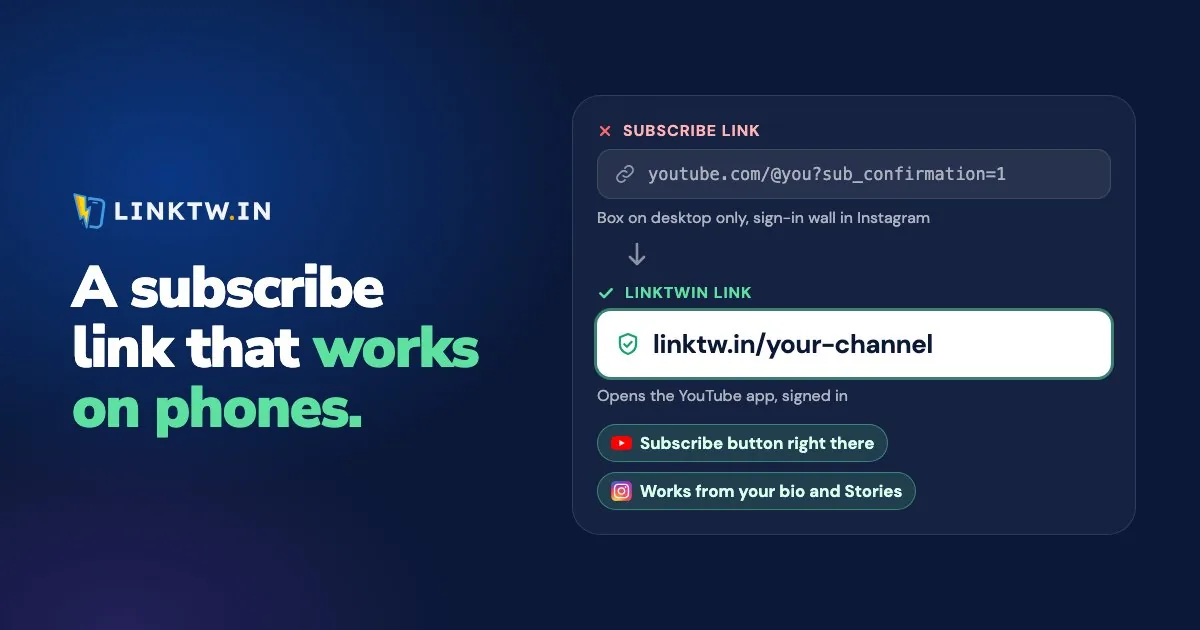
A YouTube subscribe link is your channel URL with ?sub_confirmation=1 on the end: https://www.youtube.com/@yourhandle?sub_confirmation=1. Opened in a computer browser, it loads your channel with a "Confirm channel subscription" box, and the viewer still clicks Subscribe themselves, signed in to their Google account.
That ending isn't documented in YouTube's Help Center, so YouTube makes no promise about what it does in a phone browser or inside an app. And the places you most want a subscribe link, your Instagram bio, a Story, a text, get tapped on a phone. Tapped in Instagram, a plain youtube.com link opens in Instagram's own browser, where your viewer usually isn't signed in to YouTube, so Subscribe leads to a sign-in screen instead of a subscription.
A LinkTwin link to your channel opens it in the YouTube app, where the viewer is already signed in and the Subscribe button is right there on your channel page. Use ?sub_confirmation=1 on your website and in emails people read on a computer, and a LinkTwin YouTube link wherever people tap on a phone, like Instagram and Threads.
How to make a YouTube subscribe link
- Copy your channel URL. Your handle URL (
youtube.com/@yourhandle) works, and so does the one built on your channel ID. Both are on YouTube's page about channel URLs. - Add
?sub_confirmation=1straight after it, with no space. - Open it in a computer browser and check that the confirm box appears over your channel.
https://www.youtube.com/@yourhandle?sub_confirmation=1
https://www.youtube.com/channel/YOUR_CHANNEL_ID?sub_confirmation=1
If the URL you copied already has a question mark in it, like the ?si= code the Share button adds, either delete that part or join the ending with an ampersand: &sub_confirmation=1. A second question mark in the same URL breaks it.
Why a subscribe link doesn't work
- It's on a video URL. The ending belongs on your channel's address. Added to a watch link, it does nothing and the video just plays.
- The URL has two question marks. Join the ending with
&instead, as above. - The viewer isn't signed in. Subscribing needs a Google account, so a signed-out viewer is asked to sign in first. That's normal, not a broken link.
- It was opened on a phone. The confirm box isn't promised there, so give phone taps a link that opens the app.
The link for your bio, Stories, texts and QR codes
Paste your plain channel URL, https://www.youtube.com/@yourhandle, into LinkTwin and you get a short link such as linktw.in/your-channel. Tapped from Instagram, Threads, a text, an email or a QR code, it opens your channel in the YouTube app. If YouTube isn't installed, the viewer gets your channel on the web.
- Copy your channel URL, without
?sub_confirmation=1. - Paste it into the Create App Link box in your LinkTwin dashboard, or try it first in the deep link generator.
- Put the short link wherever people tap on a phone: your Instagram bio and Stories, Threads, a text, a printed QR code. Promoting your YouTube channel on Instagram covers what to post around it.
- After a few days, open the click report: clicks over time, country, device and the source each tap came from.
Custom endings like linktw.in/your-channel are available from the Medium plan.
It's free to start: the free plan includes 10 links and 500 clicks a month.
For your TikTok bio, know that TikTok keeps links inside TikTok, so turn on "Optimize Links For TikTok" in Link Settings before you post it.
LinkTwin counts clicks, not subscribers. Set the click report next to the subscriber graph in YouTube Analytics and you'll see whether a week of taps moved it. If a viewer tells you your link still opened YouTube in a browser, YouTube links not opening in the app has the checks to run on their phone.
For people already watching, the end screen has its own Subscribe element, one of the spots in where to put links on YouTube.
Common questions
Is there an auto subscribe link for YouTube?
No. Every subscribe link still needs the viewer's click, and that's by design. YouTube's fake engagement policy lets you encourage viewers to subscribe, but it bans services that inflate subscriber counts and "sub4sub" swaps.