
 YouTube Creators
You can get your first YouTube sponsor with no subscriber minimum by pitching the brand yourself, in an email with your audience numbers and exactly what you'll deliver. Each brand decides what's big enough for it. The one fixed entry rule belongs to YouTube's own Creator Partnerships tab in Studio, which is open only to channels in the Partner Program, so a deal you pitch yourself is one of the ways to earn on YouTube before the Partner Program.
Start with products already in your videos: viewers have seen them, and you can point the brand at comments that ask about them. Then look at who sponsors channels a little bigger than yours in the same niche, because those brands already pay for your kind of viewer.
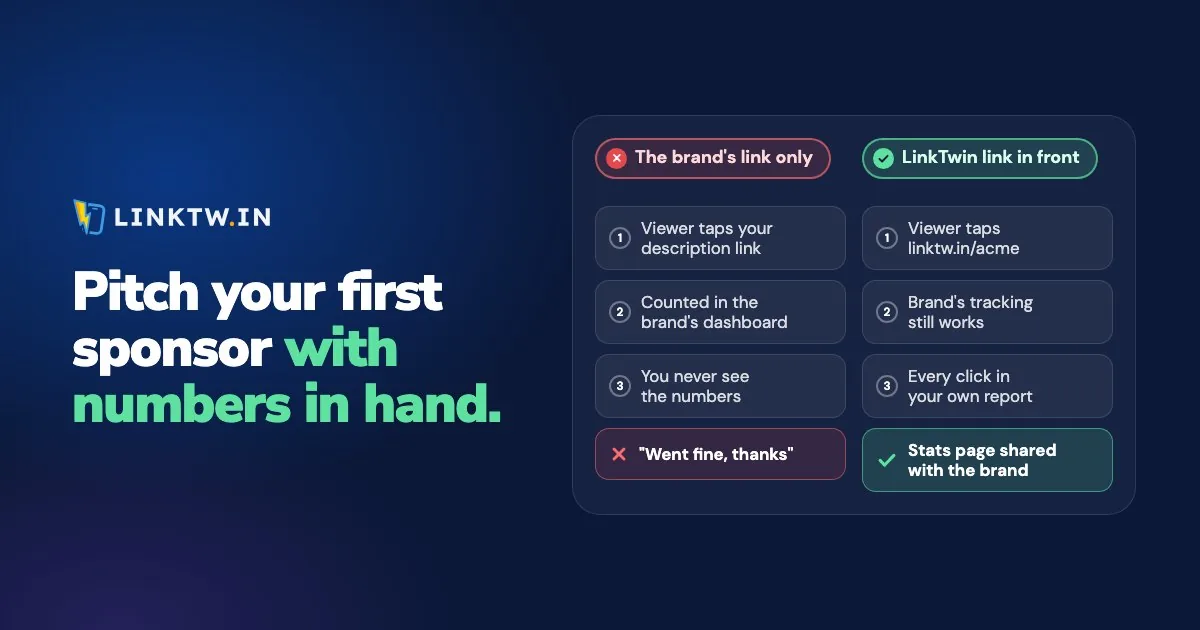
What gets a small channel its second deal is proof the first one worked, and a brand doesn't have to show you its dashboard. A LinkTwin short link in front of the brand's tracking link counts every click on your sponsor link and gives you a live stats page to send the brand, no login needed. Promise that report in the pitch: it tells the brand you'll come back with numbers, not just a video.
What to put in a YouTube sponsorship pitch email
Brands usually want three things, and YouTube Studio already has them:
- Who watches. Analytics, then Audience: age and gender, top countries, device type. On a small channel some of that is still blank. Send what you have.
- How many people will see the read. Typical views at one fixed age, such as 30 days after upload, across your recent videos. Not your best video.
- Whether viewers stay. The retention graph shows the flat stretches where people kept watching. Put the read there.
Keep the email short: who you are in one sentence, why this brand, your three numbers, the offer, and the report you'll send back. Here's a sample pitch for a cooking channel:
Subject: Your Dutch oven is in my last six videos
Hi Maya,
I'm Sam, and I film weeknight dinners for renters with tiny kitchens. Your 5.5-quart Dutch oven has been in my last six videos, and the comments keep asking which size it is.
Most of my viewers are 25 to 34, about two thirds are in the US, and my recent videos reach around 6,000 views in their first 30 days.
I'd like to offer a 45-second mention in my next kitchen tour, with your link first in the description and a QR code on screen for people watching on TV.
Two weeks after it goes live, I'll send you the views, retention through the mention, and a live page showing every click on your link by day and country.
Happy to send a one-page media kit or jump on a call.
Sam
Swap in your own numbers, even if they're smaller. Then leave a door open for brands that find you first: in YouTube Studio, under Customization, then Profile, publish a business email in your channel's contact info.
How to price a YouTube brand deal on a small channel
Build the number from the views you actually get and from the job. A short segment inside a video you were making anyway is different work from a video filmed only for the brand. A deal might be a flat fee, a price per thousand expected views, a commission, product only, or a mix, and YouTube doesn't publish a rate card, so the charts on blogs are guesses.
Their first number is an opening offer. Before you film, agree in writing on the deliverables and dates, where the link goes, exclusivity, whether they can reuse your footage, when you get paid, and what you'll report. The top of the description and a pinned comment are the usual homes for the link, and the other places YouTube gives you for a link work too.
On the read itself, YouTube's branded content policies don't let you embed an ad made and supplied by the advertiser in your video. If the brand sends a finished clip, ask for talking points and say it in your own words.
When you upload, say it's sponsored as the read starts, and tick the paid promotion box in the video's details, under Show more. Viewers then see a disclosure label at the start (YouTube Help). The same policies count content made "in exchange for payment, free products, or sponsorships" as branded, so a product you were sent for free counts too, and if you don't disclose, YouTube says it "may automatically apply a branded content label to your video and notify you". Disclosure wording for creators has lines you can say on camera and put next to the link.
A sponsor link you can count yourself
Brands usually send a tracking link or a promo code made for your channel. Use it: that's how they credit your video. Their dashboard tracks clicks and sales, and nothing obliges them to show you those screens, which is why tracking clicks on a sponsor's link yourself matters when the renewal comes up.
Put a LinkTwin short link in front of their address, one you can say on camera, like linktw.in/hearth. It forwards to their full URL with the tags still on it, so their tracking keeps working, and every tap also lands in your click report: clicks over time, country, device and source.
People watching on a TV can't tap a description link. If your device report shows real TV watch time, put the link's QR code on screen during the read; every LinkTwin link comes with one, and a QR code for TV viewers needs to be bigger than you'd think.
Put one limit in the report yourself: LinkTwin counts clicks and scans, not sales, sign-ups or promo code uses, so ask the brand for those. Your count and theirs can differ, since each tool counts in its own way. What you can hand over is where the clicks came from and when, placement by placement.
Set up the sponsor link
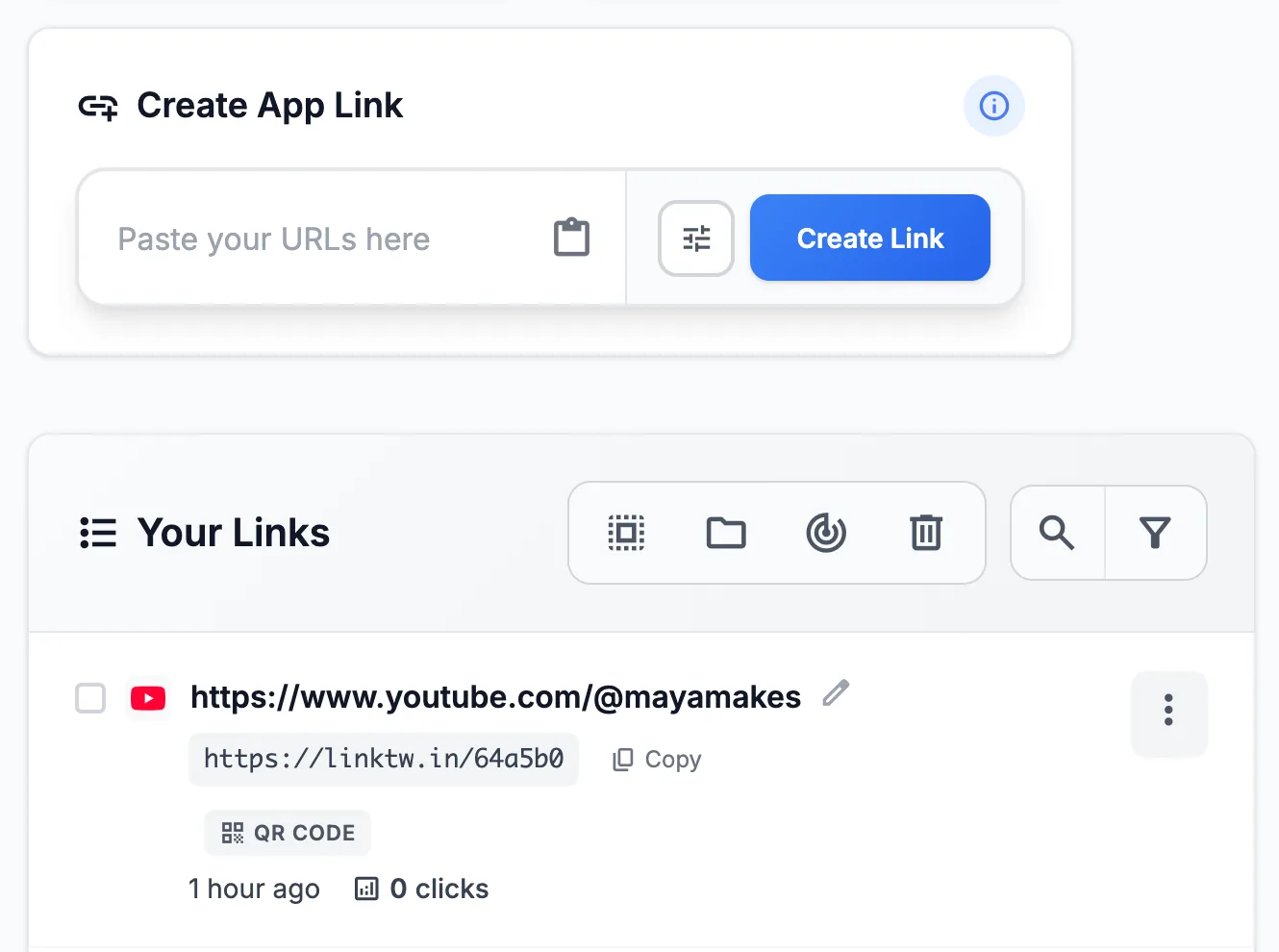
- Paste the brand's tracking link into the Create App Link box and create the link. An ending you can say on camera, like linktw.in/hearth, is available from the Medium plan.
- Open the short link on your phone and check that the brand's page loads with their tags still in the address.
- Make one short link per placement, so the description and the pinned comment each count on their own. Collections, which group one sponsor's links into a single report, are available on every plan.
- When the brand asks how it went, open the link's stats, select Share stats and switch on Anyone with the link can view. Send them that page. They don't need a LinkTwin account, and you can switch sharing off when the deal ends.
Between reports, add a + to the end of the short link (linktw.in/hearth+) and its stats page opens.
Links to a sponsor's website, like links to your own, are included on every paid plan.
Pointing the same short link at a new tracking link halfway through a deal is included on every paid plan.
Common questions
What if the brand doesn't reply?
You won't hear back from every brand, so don't read silence as a verdict on your channel. Follow up once after a week, then write to the next brand. Comments that already ask about a product are your strongest opening line the next time.