
 Instagram, TikTok & In-App Browsers
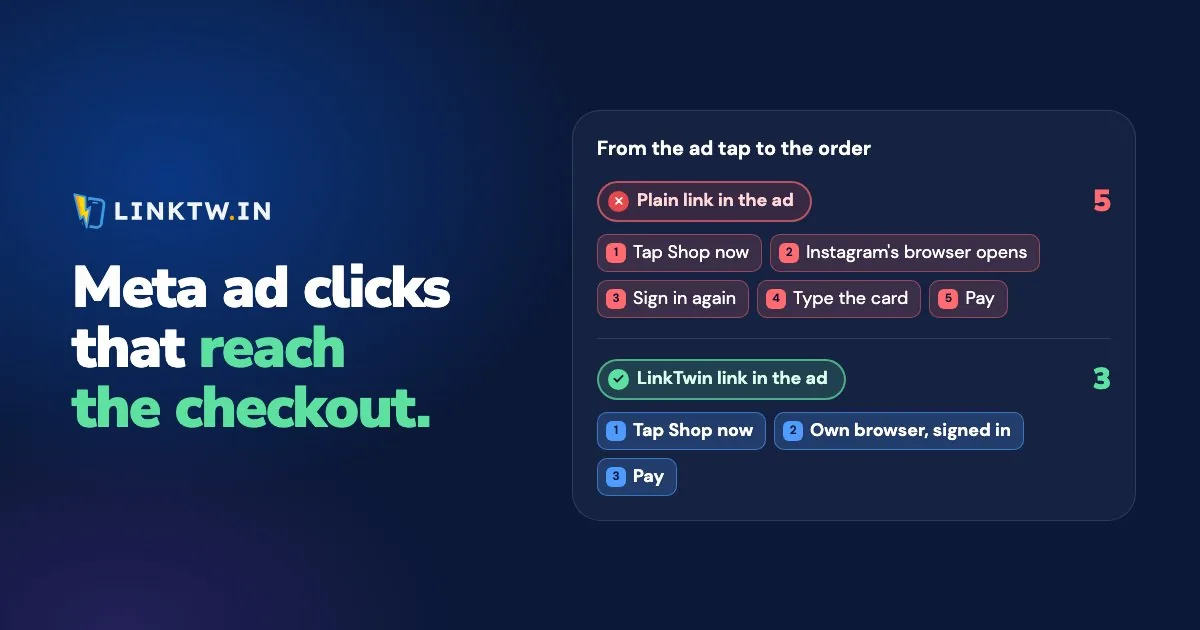
Landing page views are lower than link clicks because Meta counts two different moments. A link click is the tap on the ad, and a landing page view is counted only after your page has loaded and your Meta Pixel has fired, so anyone who leaves during the load, or whose tap went somewhere other than your site, shows up in the first column and not in the second.
On phones, a good part of that gap can happen inside Meta's own window. Facebook and Instagram open ad links in their in-app browser, the same way they open links in posts, Stories and messages, and every second your page spends loading there is a second to swipe back to the feed. A LinkTwin link used as the ad's website URL opens your store in Safari or Chrome instead of Meta's in-app browser, where the shopper's saved login and card are usually in reach.
What the three columns count
| Column | What Meta counts | What it tells you |
|---|---|---|
| Link clicks | Clicks on links in the ad, to destinations off Facebook and Instagram or on them | Someone tapped a link |
| Outbound clicks | Only the clicks that take people off Facebook and Instagram | The tap was headed to your site |
| Landing page views | Clicks after which your page loaded and the Meta Pixel on it fired | Your page actually appeared |
So compare outbound clicks with landing page views. Link clicks will always look bigger when the ad offers places to tap that stay inside Meta, like a link to your Facebook Page.
Why landing page views come in lower
- The page is slow inside the in-app browser. Every second of loading is a second to swipe back. If the gap is wider on phones than on computers, start here.
- The ad has more than one link. Link clicks count all of them. Outbound clicks count only the ones that leave Meta.
- The pixel fires late or not at all. Landing page views need the Meta Pixel on the destination, so a page that loads it late, or doesn't have it, reports fewer.
To see which one you have, break the three columns out by device in Ads Manager: a gap that appears only on mobile is the in-app browser. No other tool will match Meta's numbers exactly, LinkTwin's included, because each one stamps a different moment of the same tap, and why link clicks don't match walks through the usual mismatches.
The loss that never gets a column
A landing page view only means the page loaded. It doesn't mean the shopper could buy. Meta's in-app browser keeps its own cookies, apart from Safari and Chrome, so the shopper is usually signed out, and the card and passwords their phone's browser remembers are out of reach. What an in-app browser is covers the rest of what that window breaks.
Picture it: someone taps Shop now on your Instagram ad, the store loads inside Instagram, and Ads Manager records the view. Checkout asks for an email, an address and a card number, typed with thumbs. They close it and keep scrolling. You paid for a click that became a view and never an order. A shopper could move the page to their own browser through the menu at the top of the window, but almost nobody does that in the middle of a feed.
Put a LinkTwin link in the ad instead, for example linktw.in/summer-sale, and the same tap goes where the shopper is ready to buy:
| Where the ad runs | Link to your website | Link to YouTube, Spotify or another app |
|---|---|---|
| Instagram or Threads | Opens in the phone's browser | Opens the app directly |
| Facebook on Android | Opens in the phone's browser | Opens the app directly |
| Facebook on iPhone | Opens in Safari automatically | One tap on LinkTwin's bridge page, then the app |
The social ads page shows the same tap side by side, and covers ads on other networks too. If the destination app isn't installed, the link opens the web page in the browser.
Put the short link in the website URL
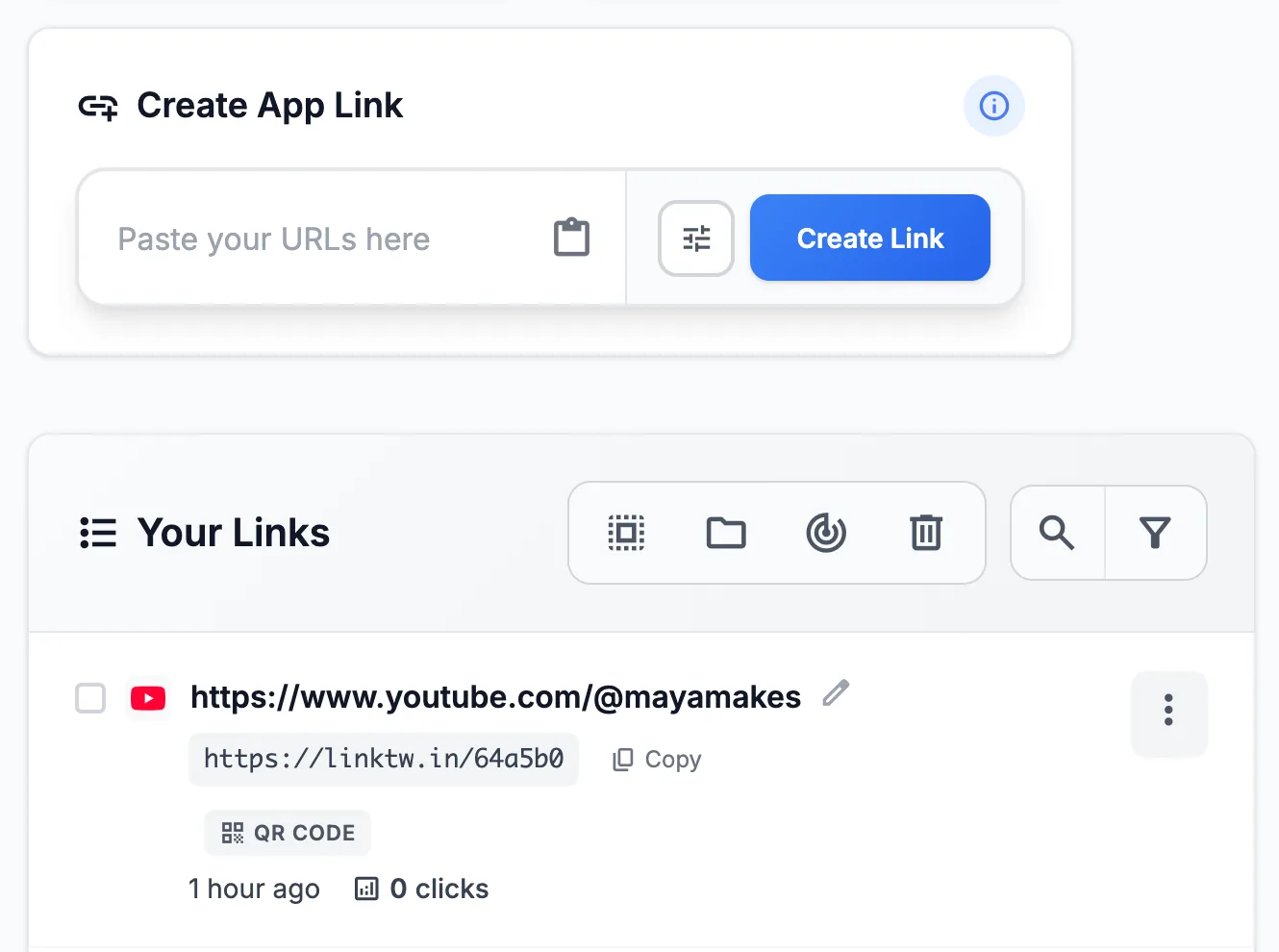
- Paste the exact landing page the ad promises into the Create App Link box in your LinkTwin dashboard. Leave your UTM tags on it.
- In Link Settings, leave UTM Parameter Forwarding on All, the default, so Meta's click ID and your Ads Manager URL parameters reach the page.
- Paste the short link into the ad as its website URL, and keep the ad's URL parameters as they are.
- Send the link to yourself in an Instagram message and tap it on an iPhone and on an Android phone, then do the same from Facebook, since links in the Facebook app behave a little differently on iPhone and Android.
- Once the ad runs, open the click report and set each day's taps, by app, device and country, next to Meta's columns and your orders.
Links to your own website or shop are included on every paid plan.
Judge the switch on orders. Your page now loads in the phone's browser rather than in Meta's window, which is the point, so the click-to-view gap is no longer the number that tells you whether it worked. LinkTwin counts clicks, not sales, so the orders come from your store's reports.
A pixel can also sit on the link itself and fire before the visitor leaves the in-app browser (pixels are available on every plan). Adding a pixel to a link shows where the Meta, TikTok and Google IDs go.
A domain you own can carry the link, so the address in the ad matches your brand (custom domains are available from the Medium plan).
Common questions
Does the redirect drop fbclid?
Not on the default setting. With UTM Parameter Forwarding on All, fbclid and the parameters Ads Manager adds are passed on to your page, and the UTM tags already on your landing page URL stay as they are. Your Meta Pixel then measures the visit on your page as usual.