
 Branded Links & QR Codes
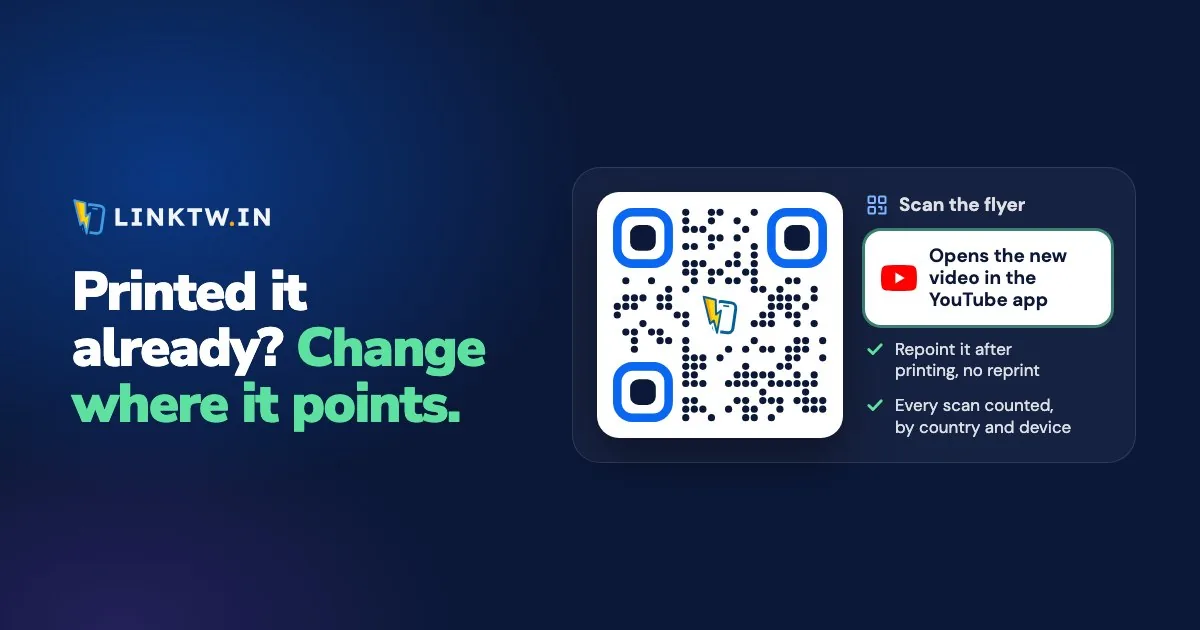
A static QR code stores the destination itself in its squares, so it can never point anywhere else. A dynamic QR code stores a short link instead, so you can change where it goes after printing and count every scan.
Say you print 300 flyers for a meetup with a code that opens this month's video, and next month there's a new video. With a static code, those flyers are scrap. With a dynamic one, you paste the new video into the link and the same flyer opens it.
A LinkTwin QR code holds a short link that opens the right app on the phone that scans it, so you can change the destination after printing and see every scan in your stats. Every LinkTwin link comes with its own QR code, and a scan opens YouTube, Spotify or one of 100+ other apps directly when the app is installed. The QR code generator shows what a scan opens, app by app.
Changing where a link points after you share it is included on every paid plan.
Static vs dynamic QR codes, side by side
| Question | Static QR code | Dynamic QR code |
|---|---|---|
| What the squares hold | The content itself: a full web address, Wi-Fi details, a contact card or plain text | A short link that forwards to the destination |
| Change it after printing? | No. A new destination means a new code and a new print | Yes. You change the destination, and the printed code stays the same |
| Count scans? | No | Yes, because every scan passes through the short link |
| Expires on its own? | No, but it dies with the page it spells out | No, but it depends on the short link staying live |
| How dense the pattern gets | A long address means more, smaller squares at the same width | Stays compact, whatever the destination is |
Static is fine for things that never change, like the office Wi-Fi or a plaque with a line of text, and LinkTwin makes those too on its Static tab. For a video, a song, a menu, a product or anything you might update, print a dynamic code, because a wrong address on a static code means starting the print run over.
Can you change a QR code after printing?
Only a dynamic one. The ink never changes, so what you edit is the short link inside it. On LinkTwin you open that link, paste the new address, and save. The next scan of the same poster opens the new video in the YouTube app, or the new playlist in Spotify, on a phone that has the app.
A static code can't be converted. If you're not sure which kind an old code is, point your camera at it and read the address before you tap: the final site's own address means static, and a short link means dynamic. For a static code that's already printed, the fix is a new dynamic code on the next print run.
Do QR codes expire?
No. There's no date inside the pattern. A static code stops working when the page it spells out goes away: a deleted video, a moved page, a domain nobody renewed. A dynamic code also depends on the service behind its short link, which is why every link made with Google's Firebase Dynamic Links stopped working when the service shut down on August 25, 2025. A printed code also stays with the service you made it on, which is why switching from Bitly means leaving printed Bitly codes alone and putting a new code on the next print run.
A LinkTwin QR code has no end date of its own. It keeps opening its destination for as long as the link exists, unless you give the link an end date or a click limit yourself under Link Expiration. And when the destination moves, you repoint the link instead of reprinting.
How big to print a QR code, and other print rules
There's no official minimum size. DENSO WAVE's FAQ (the company that created the QR code) says a common laser printer can print squares about 0.17 mm wide, but that's a printer limit, not a promise a phone camera will read them. What decides it is how far away people stand and how dense the pattern is. These rules get a print right the first time:
- Keep the printed address short. Fewer characters mean fewer, bigger squares at the same width. A short link like
linktw.in/meetup-posterstays readable where a long address full of tags turns muddy. - Leave the quiet zone. A QR code needs empty space four squares wide on every side. Keep text, frames, folds and the trim line out of it, and leave a little extra so the cutter doesn't shave it off.
- Print dark on light. DENSO WAVE asks for black on white. Brand colors can work if the pattern stays dark and the background stays light and plain, never a photo. On clear packaging, print a white panel behind the code.
- Raise error correction under a logo. A logo covers part of the pattern, so set error correction to Q or H, which restore about 25% and 30% of a damaged code. The pattern gets a little denser.
- Proof it. Print one copy at the final size on the final paper and scan it from where people will stand, with an iPhone and an Android phone, in the light it will hang in.
linktw.in/meetup-poster, so people know where the camera is about to take them.A code inside a YouTube video, read from a sofa across the room, is a different size problem, and adding a QR code to a YouTube video for TV viewers covers how big and how long to show it.
What a scan opens
A phone's camera has no in-app browser in the way, so a scanned LinkTwin QR code opens the app the link points to, on the video, playlist or profile you chose. A phone without the app gets the web page instead.
If the code is for an app of your own, an App Store link sends iPhones to the App Store and Android phones to Google Play from one printed code.
Make a QR code you can change later
- Create the code. On the QR Codes page, select Create QR Code. Stay on the Dynamic tab, choose Link, and paste the destination.
- Choose the domain. The domain is spelled into the pattern, so pick it before you print. Changing it later means a new code.
- Set the print options. Design Options holds colors and a logo. Under Advanced Options, set the Margin (or leave the quiet zone in your layout) and raise Error Correction if you added a logo. Then Generate QR.
- Download for print. Choose Download as SVG or Download as PDF, which stay sharp at any size (a PNG blown up to poster size blurs every square), then run the proof on paper.
- Read the scans. Each scan shows up in the click report: when, country, city when it can be located, device, operating system and browser. LinkTwin counts the scan; it doesn't see names or what someone does inside the app. What a click report records goes through each column.
QR codes are included on every plan.
Common questions
Which LinkTwin QR code types are dynamic?
Link, vCard, Email, Phone, SMS, WhatsApp and Crypto codes are on the Dynamic tab: they hold a short link, count scans, and can be changed later. Text, SMS & Message, WiFi, Static vCard and Event codes are on the Static tab, so their content is in the pattern and an edit in the dashboard won't change a code you already printed.
Can the code use my own domain instead of linktw.in?
Yes. Connect a domain such as go.yourbrand.com and choose it when you create the code, so the printed short link carries your name. Connecting a custom domain takes one DNS record. Custom domains are available from the Medium plan.