
 Amazon & Affiliate Marketing
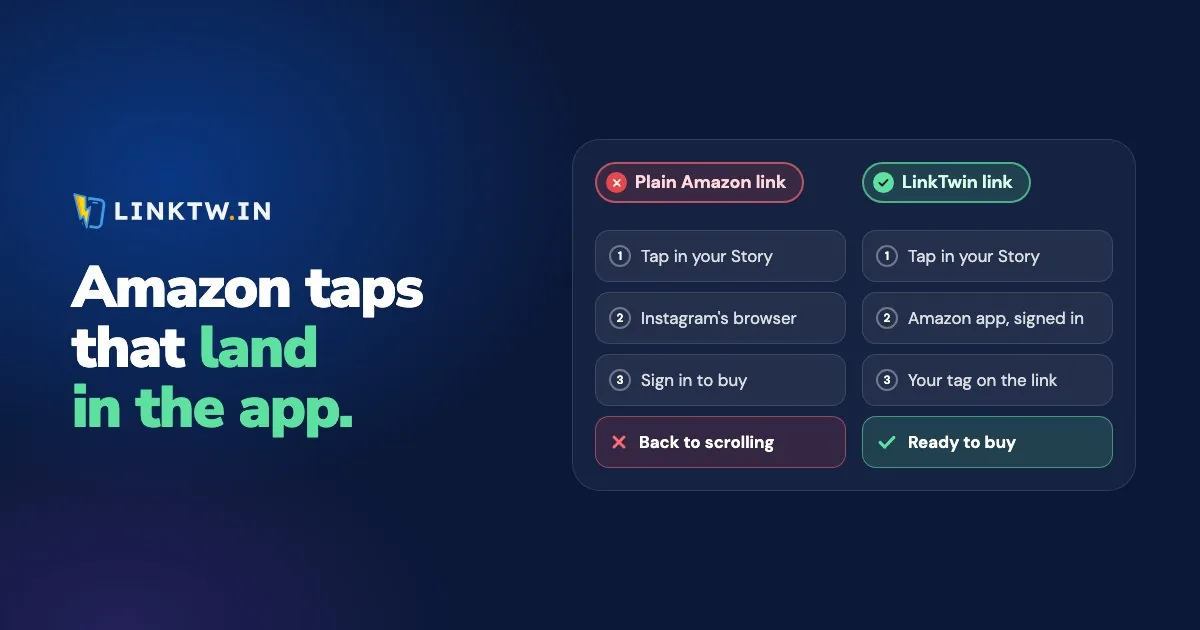
You get more clicks on Amazon affiliate links by putting one link where the platform makes it tappable, naming Amazon and the product right next to it, and making the tap open the Amazon app instead of a signed-out web page. Then you give each placement its own link and keep the ones people actually tap.
The last part is where most taps die. A follower taps the link sticker on your Story, Amazon's website opens inside Instagram's browser, where they're usually not signed in, so the blender you just showed sits behind a sign-in form, and closing it to keep scrolling is the easy choice. A LinkTwin link opens the product in the Amazon app from Instagram, with your Associates tag on it, so your follower lands where they're already signed in to Amazon. If the app isn't installed, the product page opens in the browser instead, tag still on it.
Where an Amazon link can be tapped
Very few people copy and paste an address by hand, so the link has to sit in a spot the platform turns into a real link. As of November 2026, those spots are:
| Platform | Tappable in | What to put there |
|---|---|---|
| Profile links, the Story link sticker, DMs | The one product on today's Story. The bio is for browsing. | |
| YouTube | Long-form descriptions, comments and channel links, for channels with advanced features | The product in the first lines of the description and in a pinned comment |
| TikTok | The profile link, at 1,000 followers or with a Verified Business Account | Your page of picks, and "link in bio" said in the video |
| Posts and comments | One product per post | |
| Blog or newsletter | The page, and email people signed up for | The link right after the paragraph that makes the case |
A URL typed into an Instagram caption or comment stays plain text for most accounts, and every clickable spot on Instagram lists the exceptions. Under a YouTube Short it's never clickable, so send Shorts viewers to the full review with the related video link, where the description link works. Where links work on YouTube has cards, end screens and the rest.
On TikTok, switch on "Optimize Links For TikTok" in Link Settings before you post, because TikTok keeps links inside TikTok until the viewer leaves through its own menu.
Find the placement that gets the clicks
One link in the bio, the Story and the description gives you a total, not a winner. Create a separate short link for each placement, all pointing at the same product, and the click counts split themselves:
linktw.in/blender-bio      profile link
linktw.in/blender-story    Story sticker
linktw.in/blender-yt       YouTube description
Custom endings like these are available from the Medium plan.
Then compare rates, not raw counts. Divide a post's clicks by the views it got, and compare a bio link over the same number of days. The placement with the higher rate is the one to repeat. Comparing two products behind the same post is a different test, and one short link can A/B test the two destinations while everything else stays the same. Each click report shows clicks over time, country, device, browser and the source of the tap, and adding a + to the end of a short link (linktw.in/blender-story+) opens it.
LinkTwin counts clicks, so your orders stay in your Associates reports. To carry the same split onto the orders, give each placement its own Amazon tracking ID, as tracking affiliate clicks per video shows.
Words that get the tap
What you write next to the link decides a lot of taps. These habits are worth testing on your own posts:
- Name the spot. "Link sticker on this Story", "first line of the description", "pinned comment". The link lives in one place, so say which one.
- Say Amazon, and name the product. People tap when they know what will open. "The blender on Amazon" beats "link below".
- Keep one product per post. Five links in one caption split the tap, and you can't tell which line did the work.
- Put the link right after the reason. The moment they've just watched the blender crush ice is the moment to say where it is.
- Send them to today's price. "See today's price on Amazon" stays true after a deal ends, and Amazon's Program Policies don't let you show a price you typed yourself, one of the rules worth rereading when you get your links ready for Black Friday.
- Put the disclosure beside the link. "(paid link)" or "#ad" right next to it, not buried in hashtags. Affiliate disclosure for creators has the wording for each platform.
A description line can look like this:
The blender from this video is on Amazon (paid link):
linktw.in/counter-blender
See today's price.Set up one link per spot
- In Amazon Settings, save your Associates tag for each Amazon store you've joined. LinkTwin adds it to every Amazon link you shorten, and if a link already carries a tag, "Keep tags already on a link" decides which one stays.
- Leave Auto-Geolocation on if your followers live in more than one country. Each shopper goes to the Amazon store for their country, one of 23, with the tag you saved for that store, and Amazon links for international audiences explains where you earn.
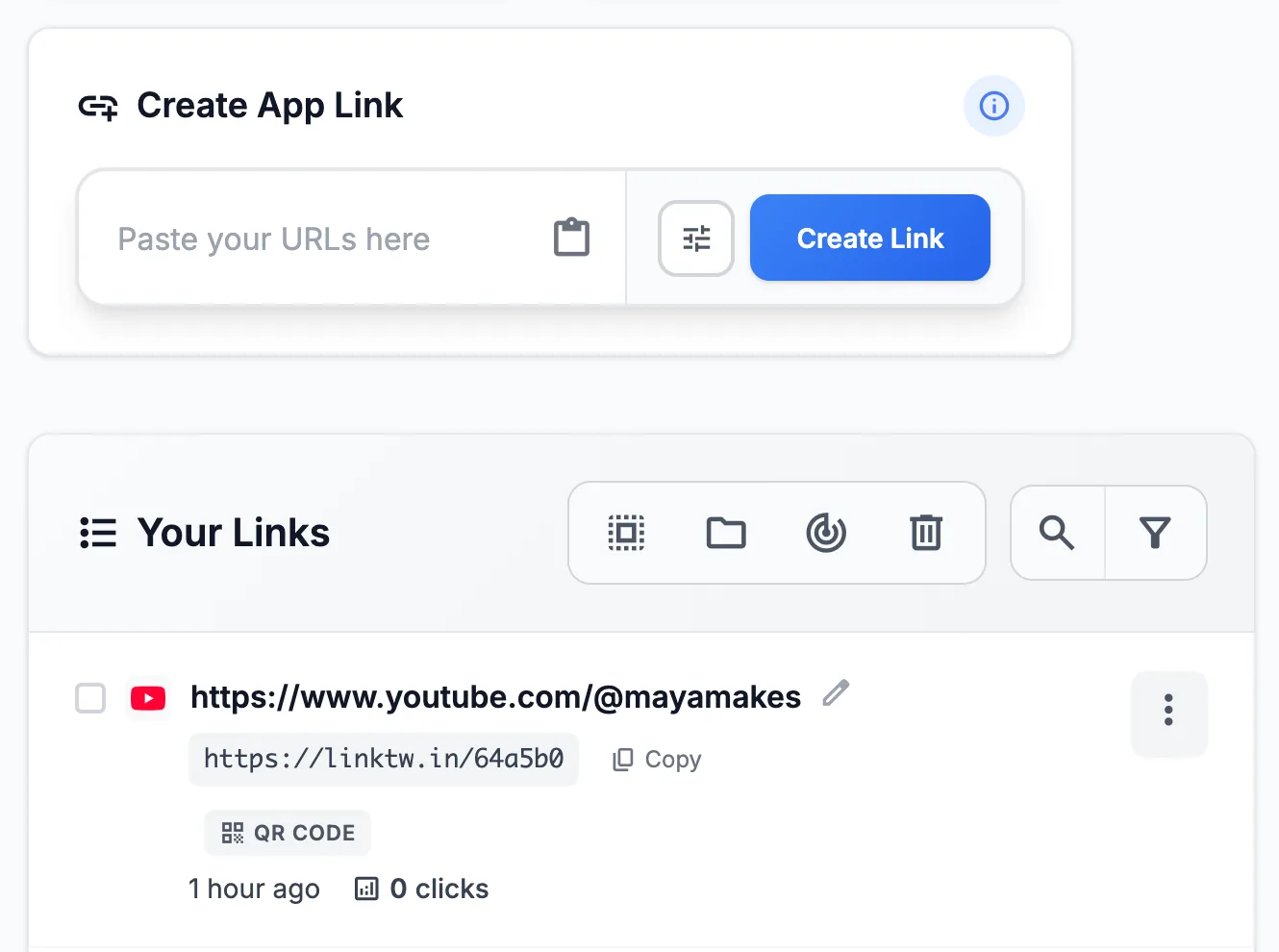
- Paste the product URL into the Create App Link box, once per placement. Links from amazon.com, amzn.to, a.co and the other Amazon stores all work.
- Put each short link in its spot, next to the word Amazon and your disclosure.
- Tap it yourself from the app you posted in, on a phone that has the Amazon app, and check that the product opens. Don't buy through it: Amazon doesn't allow purchases through your own links.
- A few days later, open each link's click report and keep the placements people actually tap.
More clicks only pay inside Amazon's window: a tap gives you 24 hours for an order, and how the Amazon 24-hour cookie works explains what ends that window early and how the other Amazon guides fit together. The Amazon affiliate links page shows what your shopper sees after the tap.
Common questions
What if one video shows ten products?
Put the main product first with its own line, and the rest on one page your description links to. A bio page built for Amazon picks holds them with photos, and its Amazon buttons open the app too.